


KazVee
-
Posts
1468 -
Joined
-
Days Won
47
Everything posted by KazVee
-

[Solved] Unable to authenticate UpdraftPlus plugin (403 Forbidden)
KazVee replied to oleglucic's topic in Customer Service
Could you please let us know what domain this is happening on, so we can try to help you a bit further? -
I've added that subdomain to your account for you. Please note that it may take up to 2 hours for your new subdomain to fully work. If after a full 2 hours it doesn't work on your side, please make sure you clear your web browser cache: https://wiki.helionet.org/Clear_Your_Cache Please let us know if we can help with anything else. ?
-
We added that domain to your account for you yesterday, in this thread and by changing your registrar config to point to the HelioHost nameservers (ns1.heliohost.org and ns2.heliohost.org) that's all you need to do to host the site with us. In fact when I check that site now, I see the default contents, so if you login to Plesk you should see a folder for the domain inside your home directory. I'm not sure what else you mean about needing DNS set up. Do you mean you want SPF, DKIM, and DMARC records set up for email, like we say we can do for you on this page? Please could you give us a little more information about what you need done, and we'll be happy to try to help.
-
I've added that domain, and the go subdomain, to your account for you. Please note that it may take up to 2 hours for them to fully work. If after a full 2 hours they don't work on your side, please make sure you clear your web browser cache: https://wiki.helionet.org/Clear_Your_Cache In the meantime, please make sure you configure DNS for them. You can either: Set NS records pointed to the HelioHost nameservers: `ns1.heliohost.org` and `ns2.heliohost.org`, or Manually create DNS records: Add an A record (IPv4) pointing to your server's IPv4 address. Add an AAAA record (IPv6) pointing to your server's IPv6 address. To find the correct IPs, please go to: Login > Plesk > Websites & Domains > [domain name] > and check at the bottom of the page. The "webmail" subdomain is reserved for Plesk's Roundcube. If you planned to use a different service, we recommend using your account's server name ('tommy.heliohost.org') as the host address anyway. You can view our email accounts guidance page for more details, but please let us know if you have any questions.
-
[HH#393261] Re: Thanks for the Recent Donations!
KazVee replied to HelioHost's topic in Email Support
Thank you very much for confirming. I have unsuspended all 3 accounts now, please allow a few minutes for them to get fully reinstated. If you plan to help out any more colleagues with the donation process, please let us know before you make a donation to create a new account. If you do not tell us in advance, the multiple account detection system will suspend all 4 accounts when it sees the 4th account created. Thank you again for your donations. Please let us know if we can help you with anything else. Have a great day! -
Glad to hear, I'll mark this [Solved] as requested then. ? Please give us a shout (by making a new thread) if you need help with anything else.
-
Hello! There's currently no option for private support of any kind. There's been discussions about offering private support, but if it is implemented, private support will likely be a paid service since it ties up an admin's time and prevents other users from assisting. There is currently no ETA on if or when private support may be offered. When users need to provide details they don't want kept public on the forum forever, I've seen them go back and edit the info out of their posts, once the admins have used it to make whatever changes are needed. Maybe this would work for you as an alternative to waiting for private paid support to be implemented? As for your Cloudflare question, we have a guide here on using CF to manage DNS: https://wiki.helionet.org/Cloudflare_DNS_Records I can't comment if it's easier or not, but I've noticed a few users who were new to DNS management and able to use CF without any problems. It seems pretty straightforward to set up and I believe CF have good help documents if you get stuck. Edit: I didn't see Wolstech had already replied before I typed this up ? I'll leave it in case the links are still helpful.
-
[HH#393261] Re: Thanks for the Recent Donations!
KazVee replied to HelioHost's topic in Email Support
Thank you for providing details of the owner of the 3rd account. To confirm that these accounts belong to 3 different people, we also need the details for the owners of account 1 and account 2. The automated system does not make exceptions, we would need to make an update so it does not keep suspending all the accounts. Once we have the teachers names for the other 2 accounts (I assume the school is the same), we can update the multiple account detection system for the 3 people who are using 3 accounts. Many thanks, -
[HH#393261] Re: Thanks for the Recent Donations!
KazVee replied to HelioHost's topic in Email Support
Hello, Because you did not send us a message before adding any more new accounts, like we asked you to, the system has automatically suspended all 3 accounts. To confirm that these accounts belong to 3 different people, could you please confirm: 1) the names of the teachers using them and 2) the name of the school? Once we receive these details, we can update our multiple account detection system for the 3 accounts. (Please note this still means that you would need to tell us before you help a 4th person make a donation, or the automatic system will just suspend all 4 accounts at that point.) Many thanks, -
I've added that domain to your account for you. Please note that it may take up to 2 hours for your new domain to fully work. If after a full 2 hours it doesn't work on your side, please make sure you clear your web browser cache: https://wiki.helionet.org/Clear_Your_Cache In the meantime, please make sure you configure DNS for the new domain, as you did for your main domain.
-
This support request is being escalated to our root admins.
-
I have added those 2 domains to your account for you. Please note that it may take up to 2 hours for your new domains to fully work. If after a full 2 hours they don't work on your side, please make sure you clear your web browser cache: https://wiki.helionet.org/Clear_Your_Cache In the meantime, please make sure you set up the DNS for these latest 2, the same as you have for the others that were added before. Please let us know if we can help with anything else.
-
We accept payment with debit or credit cards, where PayPal acts as the payment processor for the card transaction but users do not need a PayPal account to signup. You may need to check with the card issuer to find out why it is being declined. We do have many users from Türkiye who are on the Tommy server, so it's possible to sign up for an account from your country with debit/credit. You may need to try with a different card.
-
I believe this question has already been answered on Discord. Please note that HelioHost is run by volunteers who work on the platform in their spare time. Asking the same question in multiple places (like Discord and the forum) can lead to duplicate efforts from volunteers. Some volunteers are more active in one platform than the other, so duplicating questions may result in two people spending their free time answering the same query, delaying responses for other users who may also need help. You can read about the volunteer-run support model at HelioHost here: https://wiki.helionet.org/ETA In addition to the support staff, members of the community are also welcome to jump in and help other users. So if ever you see a question you know the answer to, and if you enjoy helping other people, you are more than welcome to offer advice and help other users where you can. For others who may search the forum, the answer was: Pandas is already installed on Johnny's Python 3.12. You can see the current list of installed modules at https://krydos2.heliohost.org/pyinfo/info3.12.py If you need to request a module follow these steps: 1. Check that list and make sure the module you're requesting isn't already installed. 2. Let us know your username. 3. Let us know what version of Python you are using. 4. Let us know what module you need. We have a help page explaining how to request additional Python modules here: https://wiki.helionet.org/Python_Tutorial#Request_Additional_Python_Modules Please let us know if we can help with anything else. Thanks!
-
The score changes for me too when I check the report link you shared. I saw it at 9/10 and then I refreshed the page and it went to 7/10. I don't know why it's happening but figured I'd pop a note here so you know it's not only you seeing this happen! It seems the content of the email message you sent was basically just "testing", and this can cause a lower score because of the message contents. You should have better luck getting 10/10 with a message that looks real. If you send out a regular newsletter or something, then try using some text from one of those. It doesn't have to be a long message, I think I've gotten 10s with just a quick pretend "reminder of tomorrow night's shopping plans and a list of items to buy" or something like that, that looks like a genuine non-test email. I can't remember the limit per day that we can use the mail-tester site, but I remember I got limited because I tried too often, so my suggestion would be to wait for more help with that -3 section first, and then if you're asked to send another test email, make sure it has a real-looking message inside it as well.
-
Please do not create multiple posts for the same request. You have received two answers to your original request: here and here. Please read both the answers you were given. You can post any replies in the other thread. Thanks!
-
I'll check it out, thanks for sharing! RSS feeds are one of those things I heard about and thought it'd be cool to use but then just never did. ? I didn't really even know they were still popular, so maybe I'll finally get one set up for myself.
-
I've added that domain to your account for you. Please note that it may take up to 2 hours for your new domain to fully work. If after a full 2 hours it doesn't work on your side, please make sure you clear your web browser cache: https://wiki.helionet.org/Clear_Your_Cache In the meantime, please make sure you configure DNS for the new domain. You can either: Set NS records pointed to the HelioHost nameservers: `ns1.heliohost.org` and `ns2.heliohost.org`, or Manually create DNS records: Add an A record (IPv4) pointing to your server's IPv4 address. Add an AAAA record (IPv6) pointing to your server's IPv6 address. To find the correct IPs, please go to: Login > Plesk > Websites & Domains > [domain name] > and check at the bottom of the page.
-
I don't know about free RSS readers, but I did a quick test with a php file and got a test website up with the latest news inside a footer. I limited it to the last 5 news posts since it seemed like enough, but this could be edited. This may be an option for you, since it doesn't need any RSS reader service? This is the little blue footer at the bottom: To build this, I made an .htaccess file with this inside: <IfModule mod_headers.c> SetEnvIf Origin "https://my-website.heliohost.us" CORS_ALLOWED Header set Access-Control-Allow-Origin "https://helionet.org" env=CORS_ALLOWED Header set Access-Control-Allow-Methods "GET" env=CORS_ALLOWED Header set Access-Control-Allow-Headers "Content-Type" env=CORS_ALLOWED </IfModule> Then I made a get-feed.php file with this inside: <?php $cacheFile = 'rss_cache.xml'; $cacheTime = 1800; if (@file_exists($cacheFile) && (filemtime($cacheFile) + $cacheTime > time())) { $response = file_get_contents($cacheFile); } else { $response = @file_get_contents('https://helionet.org/index/rss/1-news.xml'); if ($response === FALSE) { die('Error fetching the RSS feed.'); } file_put_contents($cacheFile, $response); } header('Content-Type: application/rss+xml'); echo $response; ?> And usually I'd move the styling out into a separate file, but for now it's all inside index.html: <!DOCTYPE html> <html lang="en"> <head> <meta charset="UTF-8"> <meta name="viewport" content="width=device-width, initial-scale=1.0"> <title>Website with News Footer</title> <style> body { display: flex; flex-direction: column; height: 100vh; margin: 0; padding: 0; } .content { flex-grow: 1; padding: 0 20px; } footer { background-color: #d0fefe; padding: 10px; text-align: center; font-family: Arial, sans-serif; display: flex; flex-direction: column; align-items: center; margin-top: 10px; font-size: 16px; } #rss-news { display: flex; flex-direction: row; gap: 15px; justify-content: center; flex-wrap: wrap; margin-top: 10px; } #rss-news div { text-align: center; font-size: 14px; line-height: 1.5; } #rss-news a { text-decoration: none; color: #0073e6; font-weight: bold; font-size: 14px; } #rss-news a:hover { text-decoration: underline; } #rss-news small { color: #666; font-size: 12px; } h4 { font-size: 16px; margin-bottom: 10px; } </style> </head> <body> <div class="content"> <h1>Welcome to My Website</h1> <p>This is the main content of the website.</p> </div> <footer> <h4>Latest HelioHost News</h4> <div id="rss-news"> </div> </footer> <script> const rssUrl = 'get-feed.php'; fetch(rssUrl) .then(response => response.text()) .then(data => { const parser = new DOMParser(); const xmlDoc = parser.parseFromString(data, "application/xml"); const items = xmlDoc.querySelectorAll("item"); const newsContainer = document.getElementById("rss-news"); let newsHTML = ""; items.forEach((item, index) => { if (index < 5) { const title = item.querySelector("title").textContent; const link = item.querySelector("link").textContent; const pubDate = item.querySelector("pubDate").textContent; const formattedDate = new Date(pubDate).toLocaleString("en-US", { year: 'numeric', month: 'short', day: 'numeric', hour: '2-digit', minute: '2-digit' }); newsHTML += ` <div> <a href="${link}" target="_blank">${title}</a> <br><small>${formattedDate}</small> </div> `; } }); newsContainer.innerHTML = newsHTML; }) .catch(error => { console.error('Error fetching RSS feed:', error); const newsContainer = document.getElementById("rss-news"); newsContainer.innerHTML = "<p>Unable to load the latest news. Please try again later.</p>"; }); </script> </body> </html> You could probably make it look a lot better but I liked the idea of a "latest news" embed in a footer for those who wanted to have it on their page!

-
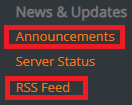
On the new Wiki, there are 2 links in the footer to see latest news, too. The Announcements link goes to the forum's News section, and there's also an RSS Feed link. I don't use an RSS reader myself but I think this link could be added into an existing RSS reader to get the latest HelioHost news along with the other news topics people follow in their reader. If you try to use the RSS feed, please let us know how it works for you, it'd be great to have another example to show people how they can stay up to date with what's happening at HelioHost. ?
-
[Solved] change domain to swasthyadentalwellness.com.np
KazVee replied to spforsom's topic in Customer Service
I've changed the main domain on your account for you. Please note that it may take up to 2 hours for your new domain to fully work. If after a full 2 hours it doesn't work on your side, please make sure you clear your web browser cache: https://wiki.helionet.org/Clear_Your_Cache In the meantime, please either: - Point your domain to the HelioHost nameservers: `ns1.heliohost.org` and `ns2.heliohost.org`, or - Create an A or AAAA record and point it to the IP address for the server you're on. You can find the IP address to use inside Plesk > Websites & Domains > [domain name] > and check at the bottom of the page. Please note there is a risk of data loss when main domains are changed, so I made a full backup for you before I made the changes, in case you need any files from the old domain. You can download the backup here: https://heliohost.org/backup If you're not sure how to extract the backup files, please follow our how-to guide here: https://wiki.helionet.org/Account_Backups -
Hello! I just installed Nextcloud (using Softaculous) on my test account and I can replicate the issue of not being able to login. I've flagged it in our staff channel, along with the error logs I'm seeing. Here is a link explaining how to view error logs on your account, I figured I'd share it since it's just good to know how to do anyway: https://wiki.helionet.org/View_Error_Logs If you do have a look at your logs, if you see anything different than the errors I get below, please let us know. But for right now I think it's safe to say it's not an issue isolated to your account, so we'll look into it and post more updates when we can.

-
Hi Atiq! I've added those 2 domains for you. Please note that it may take up to 2 hours for them to fully work. If after a full 2 hours they don't work on your side, please make sure you clear your web browser cache: https://wiki.helionet.org/Clear_Your_Cache
-
[HH#751047] Account Inquiry (Node.js limitations)
KazVee replied to HelioHost's topic in Email Support
Apologies, the links you were sent for Morty and the VPS in the last email won't be clickable for you. Please use this link to view the details on Morty server: https://wiki.helionet.org/Morty and this page for our VPS plans: https://heliohost.org/vps/ Please let us know if you have any more questions, we'll be happy to help. -
[HH#751047] Account Inquiry (Node.js limitations)
KazVee replied to HelioHost's topic in Email Support
Hello! Running a Node.js app 24/7 will most likely cause account suspension, because Node is very demanding on server resources and is one of the top reasons for users getting their accounts suspended. We have a Node.js guidance page in the Wiki here: https://wiki.helionet.org/tutorials/node.js and if you build your Node app with the same structure as in the tutorial, it will use Passenger. Passenger is a server feature that will stop your app from using the shared hosting server resources when there are no visitors to the app, which will help try to keep your account load within the allowed limits since it will stop Node from running 24/7. I haven't heard of anyone creating a Node-based Telegram bot, but I see no reason why it wouldn't be possible, taking into account needing to make sure not to cause excessive account load. We've had a few users create Discord bots using Python, and we have a how-to page for that here: https://wiki.helionet.org/Discord_Bot Bots use a lot of system resources though, so whether you code it in Node or Python, you would probably not want to leave it running 24/7 and risk account suspension. If you really need a Node app or a bot running 24/7, you may want to check out our scaling hosting server, Morty. On this server, instead of being suspended for account load that exceeds the allowed limits, you would simply be charged for overages. Alternatively, you could move to a VPS where you have root SSH access, dedicated memory and CPU, and no load limits. We have a range of VPS plans available, and you can get a 10% discount when you pay for 6 months upfront.


