
KazVee
-
Posts
1542 -
Joined
-
Days Won
49
Everything posted by KazVee
-
 This support request is being escalated to our root admins.
 -
[Solved] Request to reset My account Rest.helioho.st to Start Over
KazVee replied to elkhaddir's topic in Customer Service
I've reset your account as requested. You should receive an email shortly so you can take the next steps to recreate it. I made a backup before the reset, so if you discover you need any of your old files, you can download the backup here: https://heliohost.org/backup If you're not sure how to extract the backup files, please follow our how-to guide here: https://wiki.helionet.org/Account_Backups -
I've unsuspended your account. It can take up to 2 full hours for it to be completely reinstated. Moodle is unfortunately quite demanding on the server. You can see the results of some load testing we did a while back here: https://wiki.helionet.org/Common_Software_Load You can keep an eye on your account load here: https://heliohost.org/dashboard/load/
-
[Solved] Suspended: zwigith
KazVee replied to NamelessRumia's topic in Suspended and Queued Accounts
I've unsuspended your account. Please remember to turn the water off while you're brushing your teeth disconnect from FTP when you're not transferring files. -
All staff are unpaid volunteers who donate their free time. If there is no response, it is because we are busy with work/school/family. There is no guaranteed timeframe for a response to support requests. We encourage users to bump their requests if it's been more than 24 hours with no response, in case we missed it somehow. For support response timelines (SLAs and ETAs), check: https://wiki.helionet.org/ETA
-
[Solved] Need help investigation on download speedof file from vps to pc
KazVee replied to chak's topic in Escalated Requests
This support request is being escalated to our VPS admins. -
I've added those 2 domains to your account for you. Please note that it may take up to 2 hours for the domain change to take effect, and it will not work until you set up your DNS with your domain registrar. To configure your DNS, please see the steps provided on our Wiki to either set NS records pointed at the HelioHost nameservers, or create A/AAAA records and point them to your server's IPv4/IPv6 address: https://wiki.helionet.org/Addon_Domains#Custom_Addon_Domains If after a full 2 hours it doesn't work on your side, please make sure you clear your web browser cache: https://wiki.helionet.org/Clear_Your_Cache Users cannot yet manage domains or subdomains on their account themselves. We plan to add this feature in the future, but there is no ETA for when it may be implemented. You can read more about the ETAs (and why we cannot offer ETAs) here: https://wiki.helionet.org/ETA In the meantime, a staff member can add any subdomains you need, just let us know which subdomains you want added and under which domain you want them made. You can have up to 10 total domains on your Tommy account (this includes addon domains, subdomains, and aliases (parked domains)). If you need more than 10, you can upgrade your account to our Morty server, where you can have up to 15 domains per account AND the ability to have more than 1 Morty account if you need more than 15 domains. You can read more about the domain limits here: https://wiki.helionet.org/Addon_Domains#Addon_Domains
-
There are some Email Settings inside Softaculous that you could try adjusting. Once logged into Softaculous, look at the top right side and you should see an Email Settings envelope icon, as the 4th icon from the right in the navbar. All my options are selected by default, so maybe unchecking some of those would do the trick. There may be more settings right inside your WordPress installation that you could check as well, but I can only speculate as I do not use WordPress. Make sure to keep a very close eye on your account load. WordPress is a main cause of users getting their accounts suspended because it's heavy on server load since it's not very well optimized and is a popular target for malicious bots. We recommend that users move away from WordPress entirely. There is more information on how you can try to reduce your account load on our technical documentation Wiki here: https://wiki.helionet.org/WordPress
-
Handled over Discord: https://discord.com/channels/398197622168616962/398538798994161664/1529139958441574592 Marking this thread as Solved.
-
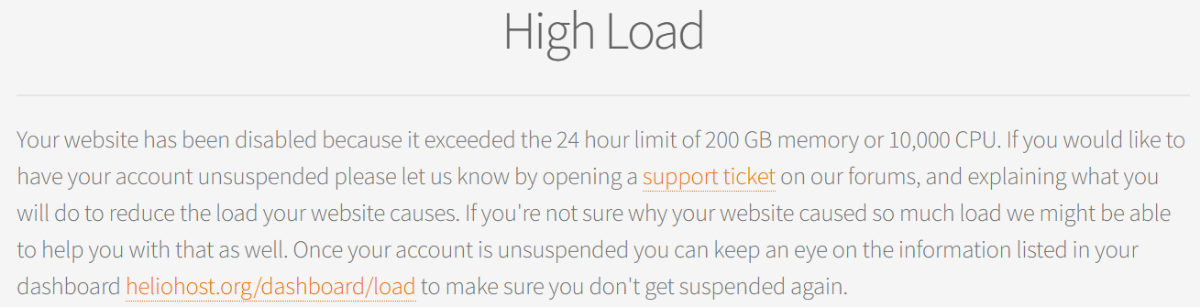
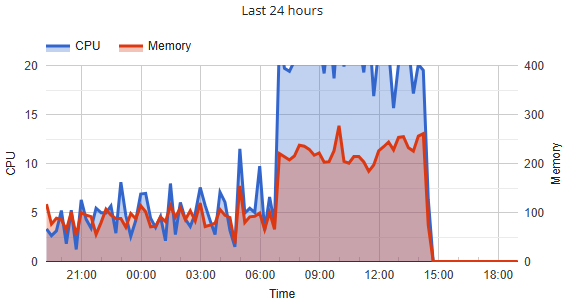
Your account has been suspended for High server load: 10007.50 CPU. I've unsuspended you now, please allow some time for the account to fully reinstate. I'll escalate this thread to the root admins who may be able to tell you more about what caused the CPU to increase so much.
-
It looks like you also posted a request about this on Discord: https://discord.com/channels/398197622168616962/398538798994161664/1528833145867075664 Since all staff are unpaid volunteers who donate their free time outside of real-life commitments (paid job, school, family, etc.) we prefer to eliminate unnecessary duplication of time and work. Where would you prefer to receive a reply? For guidance on where and how to ask for help, see: https://wiki.helionet.org/FAQ#Where_do_I_ask_for_help? To understand how Community-Powered Technical Support works, visit: https://wiki.helionet.org/FAQ#How_does_community-powered_support_work? For support response timelines (SLAs and ETAs), check: https://wiki.helionet.org/ETA Asking the same question in multiple places can lead to wasted staff time and effort, resulting in slower support timescales for you and other users.
-
[Solved] Wrong Suspension of Koshchei
KazVee replied to koshchei's topic in Suspended and Queued Accounts
We do not suspend accounts for "no reason". When you visit your website, please let us know if you do not see the message below, so we can investigate why it is not visible to you: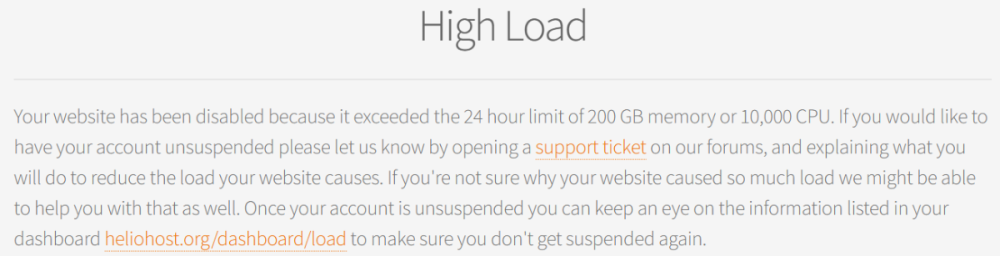
-
I've changed the main domain on your account for you. Please note that it may take up to 2 hours for your new domain to fully work. If after a full 2 hours it doesn't work on your side, please make sure you clear your web browser cache: https://wiki.helionet.org/Clear_Your_Cache Please note there is a risk of data loss when main domains are changed, so I made a full backup for you before I made the changes, in case you need any files from the old domain. You can download the backup here: https://heliohost.org/backup If you're not sure how to extract the backup files, please follow our how-to guide here: https://wiki.helionet.org/Account_Backups
-
I've added that domain to your account for you. Please note that it may take up to 2 hours for the domain change to take effect, and it will not work until you set up your DNS with your domain registrar. To configure your DNS, please see the steps provided on our Wiki to either set NS records pointed at the HelioHost nameservers, or create A/AAAA records and point them to your server's IPv4/IPv6 address: https://wiki.helionet.org/Addon_Domains#Custom_Addon_Domains If after a full 2 hours it doesn't work on your side, please make sure you clear your web browser cache: https://wiki.helionet.org/Clear_Your_Cache
-
[Solved] Request To Delete & Add Domain | techjohnrel
KazVee replied to techjohnrel's topic in Customer Service
I've added the roferosstore domain to your account for you. Please note that it may take up to 2 hours for the domain change to take effect. If after a full 2 hours it doesn't work on your side, please make sure you clear your web browser cache: https://wiki.helionet.org/Clear_Your_Cache I've also removed the bullsfitnessgym domain from your account. Please note there is a risk of data loss when domains are removed, since the folder for the domain inside Plesk will be deleted. I made a full account backup for you before I removed the domain, in case you need any of the old files. You can download the backup here: https://heliohost.org/backup If you're not sure how to extract the backup files, please follow our how-to guide here: https://wiki.helionet.org/Account_Backups -
I've changed the main domain on your account for you. Please note that it may take up to 2 hours for the domain change to take effect, and it will not work until you set up your DNS with your domain registrar. To configure your DNS, please see the steps provided on our Wiki to either set NS records pointed at the HelioHost nameservers, or create A/AAAA records and point them to your server's IPv4/IPv6 address: https://wiki.helionet.org/Changing_Your_Main_Domain#Custom_Domains If after a full 2 hours it doesn't work on your side, please make sure you clear your web browser cache: https://wiki.helionet.org/Clear_Your_Cache Since there is a risk of data loss when main domains are changed, I made a full account backup for you before I made the changes, in case you need any files from the old domain. You can download the backup here: https://heliohost.org/backup If you're not sure how to extract the backup files, please follow our how-to guide here: https://wiki.helionet.org/Account_Backups
-
[Solved] Request to Add a Domain and Set It as My Primary Domain
KazVee replied to bfozvfss's topic in Customer Service
I've changed the main domain on your account for you. Please note that it may take up to 2 hours for the domain change to take effect, and it will not work until you set up your DNS with your domain registrar. To configure your DNS, please see the steps provided on our Wiki to either set NS records pointed at the HelioHost nameservers, or create A/AAAA records and point them to your server's IPv4/IPv6 address: https://wiki.helionet.org/Changing_Your_Main_Domain#Custom_Domains If after a full 2 hours it doesn't work on your side, please make sure you clear your web browser cache: https://wiki.helionet.org/Clear_Your_Cache Since there is a risk of data loss when main domains are changed, I made a full account backup for you before I made the changes, in case you need any files from the old domain. You can download the backup here: https://heliohost.org/backup If you're not sure how to extract the backup files, please follow our how-to guide here: https://wiki.helionet.org/Account_Backups- 1 reply
-
- 1
-

-
This support request is being escalated to our root admins.
-
I've changed the main domain on your account for you. Please note that it may take up to 2 hours for your new domain to fully work. If after a full 2 hours it doesn't work on your side, please make sure you clear your web browser cache: https://wiki.helionet.org/Clear_Your_Cache Please note there is a risk of data loss when main domains are changed, so I made a full backup for you before I made the changes, in case you need any files from the old domain. You can download the backup here: https://heliohost.org/backup If you're not sure how to extract the backup files, please follow our how-to guide here: https://wiki.helionet.org/Account_Backups
-
Please confirm the full domain name you want as your main domain, including the top-level domain (TLD). Do you want either veritas.helioho.st or veritas.heliohost.us? Please see here for a reminder of the details users need to provide when changing their main domain: https://wiki.helionet.org/Changing_Your_Main_Domain#Submit_a_Request_to_Change_Your_Main_Domain
-
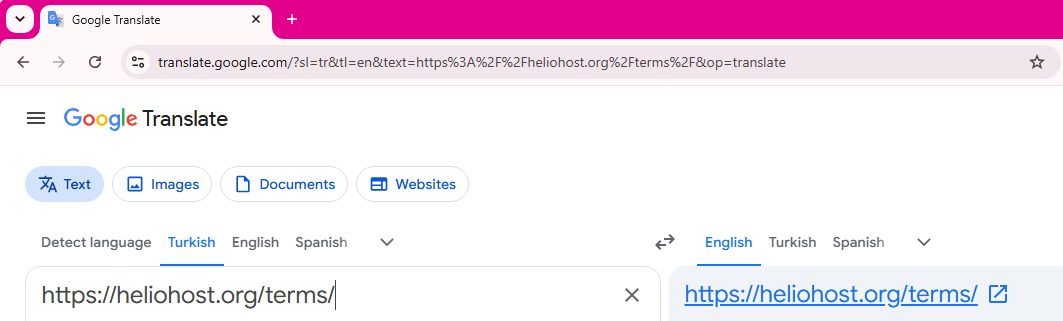
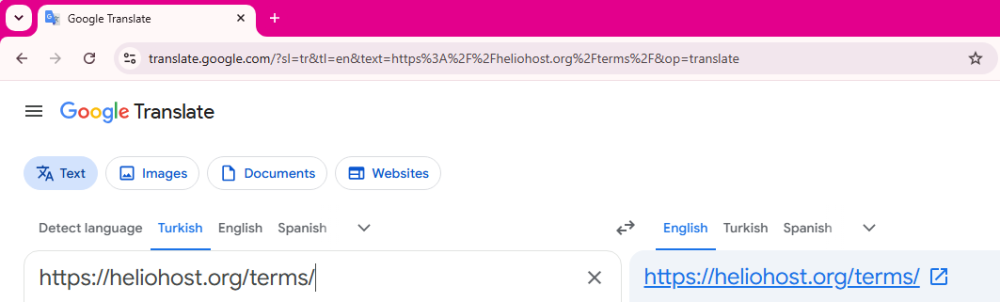
If you encounter any other English text that you aren't able to understand, please be aware that Google translate (and similar services) can also translate entire websites. 🙂 All you need to do is drop in the website address of anything on our websites or in the Wiki that you do not understand. In this example, I used our Terms of Service from https://heliohost.org/terms/ The translator will provide a link that you can use. For example: https://heliohost-org.translate.goog/terms/?_x_tr_sl=en&_x_tr_tl=tr&_x_tr_hl=en-US&_x_tr_pto=wapp
-
You were suspended for having more than 1 account. Your account with username metvmetv has been unsuspended. Please allow up to 2 full hours for it to reinstate completely. Please let us know how we can make the "one account per human being" rule more clear? The signup page mentions 1 account per person. Below the server choices on the signup page, users are shown a warning that says, "You may only have one account on Johnny or Tommy": As well, the very first line of the Terms of Service, which all users must agree to before creating an account, says: We even used big red bold font color so people could see it more easily. If you visited the signup page and the Terms of Service, and still were unaware of the rule, please let us know how we could make it more clear to new users? We are always happy to adjust our documentation so it is easier for people to understand and be aware of the rules. Thanks! Source: https://wiki.helionet.org/Suspension_Policy#Duplicate_Accounts
-
https://wiki.helionet.org/FAQ#Why_must_all_posts_on_HelioNet_be_in_English? None of our staff speak this language so we would appreciate it if you could translate your support requests to English to help reduce the work load on our unpaid volunteers. The more time you can save us on small things like this all add up and allow us to add new features, and improve our service rather than wasting a lot of time trying to translate stuff. We recommend using a service such as: https://translate.google.com/
-
[Solved] Solicitud de adición de nuevo dominio
KazVee replied to programasherrera's topic in Customer Service
I've added that domain to your account for you. Please note that it may take up to 2 hours for the domain change to take effect. If after a full 2 hours it doesn't work on your side, please make sure you clear your web browser cache: https://wiki.helionet.org/Clear_Your_Cache -
This support request is being escalated to our root admins.