New Topics
Showing topics posted in for the last 365 days.
- Past hour
-

[Solved] My account is suspended?
wolstech replied to keibeeit's topic in Suspended and Queued Accounts
You got suspended for high server load, specifically load coming from systemd. In your case, it appears to be that you left an SFTP session open too long, though this can also be caused by overusing scheduled tasks (typically running them too frequently). Please be sure to disconnect from SFTP when you're done using it. Leaving connections open can get you suspended, as SFTP uses CPU just to sit there and do nothing with the connection open. Unsuspended. It might take up to two hours before your domains work again. Edit: The unsuspend is taking a little longer than I expected. You'll be unsuspended shortly.. -
DNS recreated.
-

[Solved] Remote access to johnny postgresql database
Krydos replied to alexandrepascoal's topic in Escalated Requests
Remote access enabled. host=64.62.151.106 port=5432 user=alexandrepascoal_raptor dbname=alexandrepascoal_eagleeye password=<set in Plesk> -
Hello, I recently reactivated my account, but all my files and databases are completely missing. I do not have a local backup of my website, and the official backup tool did not find any files for my account either. Could an administrator please check your internal server archives to see if there is any backup of my data that can be manually restored? Username: a2025 Server: Johnny Main Domain: curiosimundo.heliohost.st/es Thank you for your assistance.
- Today
-
Installed. You can see the current list of installed modules for Johnny's Python 3.14 at https://johnny-info.heliohost.org/pyinfo/info3.14.py
-
Go to https://heliohost.org/backup and enter your new live.com email address to download your backup from May 8th when the server was powered off.
-
Thank you for the response, but there is a misunderstanding regarding the timeline. I did not try to deploy the repository after the main domain was changed and the subdomain was created. The issue with GitHub getting stuck in the "Queued" status started yesterday, long before any of those changes were made. Every time I try to create a repository, it just shows up as stuck in a queue. The repository has been frozen in that queue since then.
- Yesterday
-
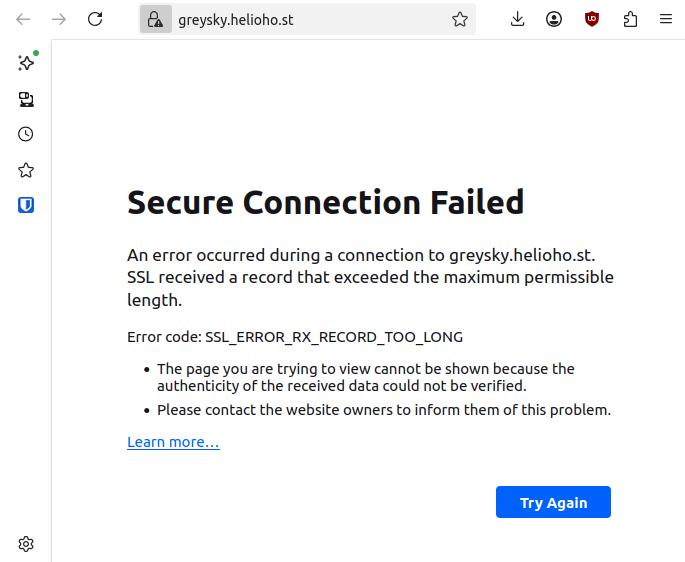
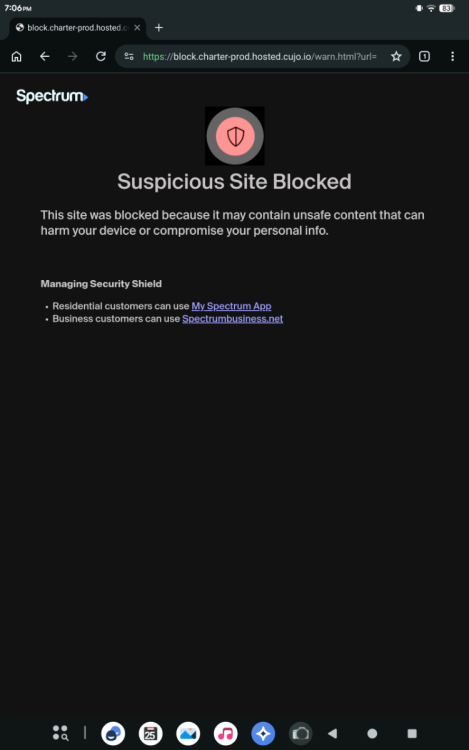
Oh, that's interesting. Because I've tried connecting to the website on my desktop, laptop and two tablets. I wonder if it's my ISP? I don't know if I need to restart my modem/router. Edit: Oh no ... It really is my ISP Edit 2: Yeah I changed the settings on my router, it works now, thanks for the help. This was an odd experience.
-
Hello, can you please add the following dns record to my site. type: txt hostname: @ data: protonmail-verification=8995d526f4c0470fc26d86dc9cbed9e6a8f0b538 Thank you
-
You can download the data we were able to recover here: https://heliohost.org/backup/ In your case, it looks like the backup is from 2024. Newer files may be available for your account, but newer databases will not be. Would you like me to have Krydos take a look? Directions for unpacking the backup are here: https://wiki.helionet.org/Account_Backups#How_to_Extract_Your_Account_Data_from_the_Backup_File After you unpack it, you'll manually rebuild your site using the data from the backup.
-
You should be able to open that file without the extension (it should be a .tar file without the extension, if whatever tool you're using won't open it, you can rename it and put a .tar on it so it will open). .tzst is a .tar inside of z-standard. The actual files you had in your home folder are inside that extensionless tar file. You then upload the actual files back into your home folder through the file manager or SFTP just like you did when you originally set your account up.
-
Since that domain is already on your account as the main domain, the only thing you need to do is set your domain's name servers at your registrar to ns1.heliohost.org and ns2.heliohost.org and the domain should work. Note that HelioHost is not a registrar (we're only a host). You need to set the name servers on the registrar's website where you purchased the domain.
-
My main domain bladerunner.top with webmail are not working. Please refresh all DNS records as there should be. Thank You.
-
Request to Add Subdomains to My HelioHost Account
wolstech replied to Texus's topic in Customer Service
Johnny accounts have a limit of 5 domains (one of which must be your main domain), so you cannot request 9 extra domains. https://helionet.org/index/topic/66787-domain-limits/ If you want to request all of these, you will need to upgrade to Tommy first. Otherwise, please specify 5 that you want added, and which one you want as your main domain. -
[Solved] Donation to Morty account
wolstech replied to douglaswebster21's topic in Escalated Requests
$6 ($5 + $1 bonus) has been added to your account, giving you a total balance of $6.4521. Thank you for your payment. -
Java / JSP is not currently available on the shared hosting accounts. Although it is on the roadmap, there is no estimated timeframe as to when Java may be offered. You can read more about ETAs here: https://wiki.helionet.org/ETA In the meantime, if you need Java / JSP, you would need a VPS. We offer different plans, starting at $4 USD / month, with a discount of 10% if you pay for 6 months upfront (which is confirmed once you select a specific pricing plan): https://heliohost.org/vps/ Once Java support returns, it will be announced in our forum News section (https://helionet.org/index/forum/1-news/), the Java page in our Wiki (https://wiki.helionet.org/Java_JSP), our Discord channel, and our social media.
-
I've removed the 'others' subdomain from your account. Please note there is a risk of data loss when domains are removed, since the folder for the domain inside Plesk will be deleted. I made a full account backup for you before I removed the domain, in case you need any of the old files. You can download the backup here: https://heliohost.org/backup If you're not sure how to extract the backup files, please follow our how-to guide here: https://wiki.helionet.org/Account_Backups I've also added the 'genesis' subdomain to your account. It can take up to 2 hours for the domain change to take effect, and it will not work until you set up your DNS with your domain registrar. To configure your DNS, please see the steps provided on our Wiki to either set NS records pointed at the HelioHost nameservers, or create A/AAAA records and point them to your server's IPv4/IPv6 address: https://wiki.helionet.org/Addon_Domains#Custom_Addon_Domains If after a full 2 hours it doesn't work on your side, please make sure you clear your web browser cache: https://wiki.helionet.org/Clear_Your_Cache
-
You were blocked in the firewall for failed SFTP logins. i've unblocked your IP, can you connect and login now?
-
2 weeks from May 7th is May 21st. It's now May 24th so your VPS has been powered off. It can still be renewed if you want though. https://heliohost.org/vps/pay/?code=0mUdTg6zUSJFE5QM
-

[Solved] DNS Record Request for Brevo Authentication on senex.helioho.st
senex replied to senex's topic in Escalated Requests
Awesome, thank you Krydos and Wolstech! I appreciate you getting these added back so quickly after the rebuild. Thanks for the incredibly fast turnaround! Everything is good to go now. I really appreciate the team's hard work. 🥰😍🤩👍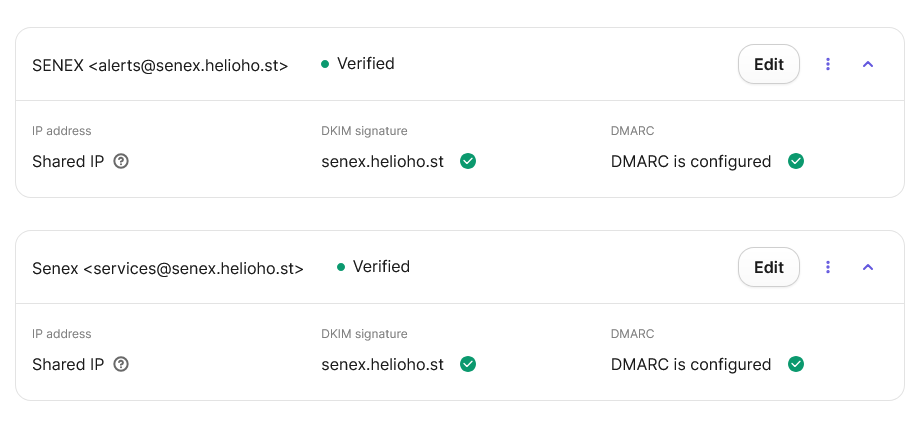
-
thank you very munch. Adding domain must be manual and ask moderator are understanable, Now i need to add sub domain? is it also need to add manually? no auto? or it will destroy main domain? im trying to learn some mail, so i need subdomain mail.neocloud.qzz.io and lets encrypt cert on it but cannot find menu for sub domain.
- Last week
-
I WANT TO RESTORE THE LAST BACKUP FROM MY FILE BEFORE REBUILT Johnny SERVER I haven't backed up my file And when I download the last backup, it's without my php file, I can't find it pleskbackup-evram.tar
-

[Solved] Request To Add New Domain | techjohnrel
MoneyBroz replied to techjohnrel's topic in Customer Service
Domain added. It can take up to 2 hours to start working.- 1 reply
-
- 1
-

-
This support request is being escalated to our root admins.
-

[Solved] I want specific content from the website (Johnny)
KazVee replied to devashraf's topic in Escalated Requests
Glad you found what you needed in the backup. Once you've got the domains purchased, please feel free to make a new thread request. This thread is in the Escalated section for the backup question, but any admin can add domains so making a new thread will mean the non-root-admin helpers will probably see it quicker to get it done for you. 🙂 Also I'll add a link for any other forum users who may see this post and want to consider using Namecheap to purchase a domain since we recommend them: https://heliohost.org/partners/ Using the affiliate link to sign up and register your domain will not cost anything extra, but it helps HelioHost earn a bit of commission for the referral. Please note: You may need to disable your ad blocker or add the link to your allowlist, since some adblockers may flag it even though it's safe.