All Activity
- Past hour
-
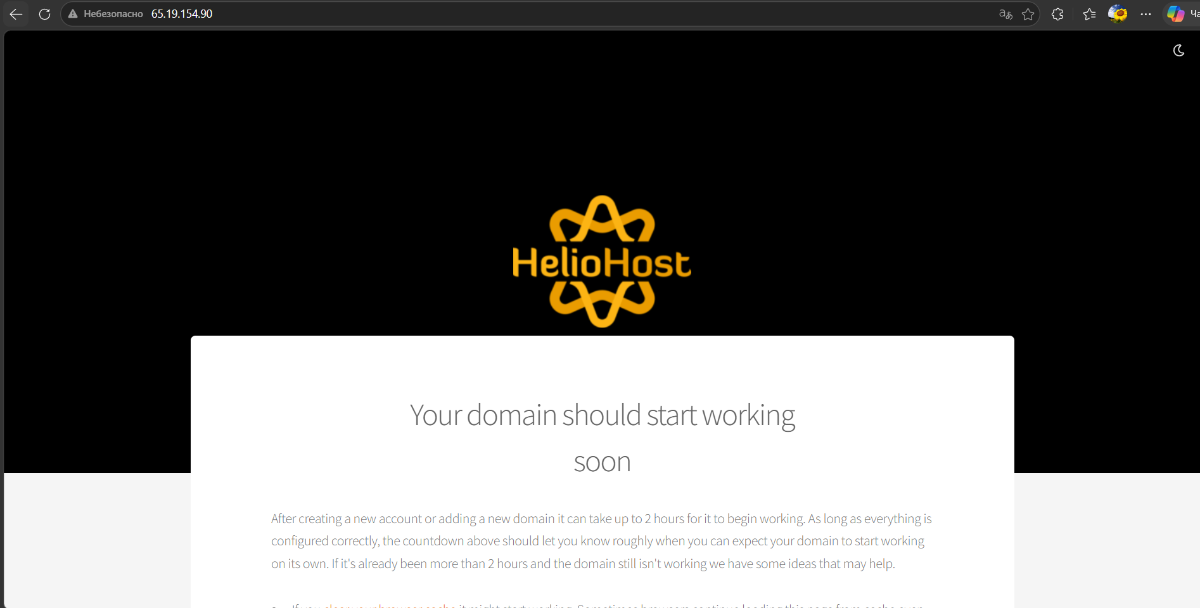
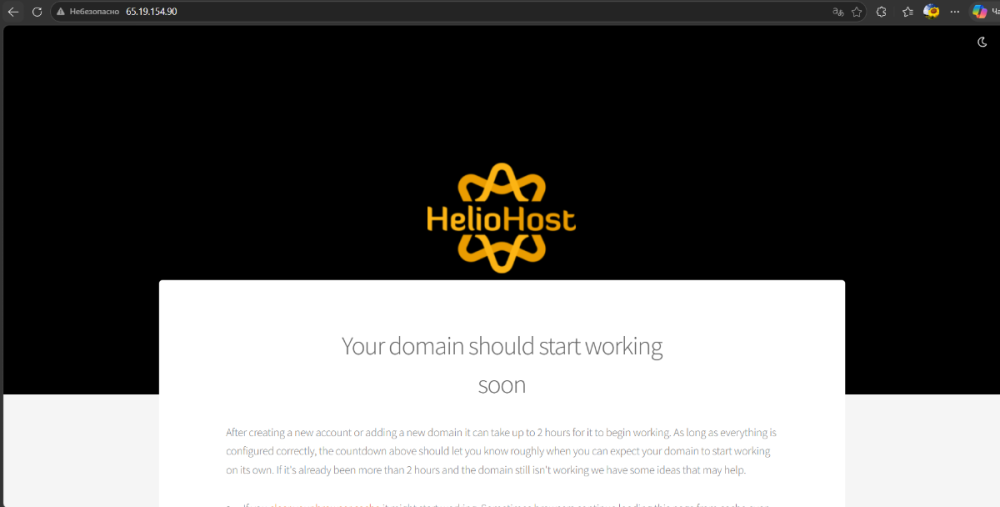
Hello, my username is sespr. Is it possible to edit the DNS settings so that IP 65.19.154.90 opens the same website as the domain: sespr.helioho.st?
- Today
-
 This support request is being escalated to our root admins.
 -
This support request is being escalated to our root admins who can set up remote access.
-
 unifyml2022 joined the community
 -
 tjacmm joined the community
 -
 devownai joined the community
 -
 shortnme joined the community
 -

Add domain laptoprecordsmanager
dipeshshrestha replied to dipeshshrestha's topic in Escalated Requests
- Hosting account username: dipeshshrestha_dipeshshrestha - Database name: dipeshshrestha_lrmDatabase - Database user name you want to have remote access: dipeshshrestha_dipeshshrestha -
 Server: Johnny (johnny.heliohost.org) Path: /devashraf/waken.helioho.st/jpnew/ Directory permissions are 775 recursively Error: Could not create directory: Received error SSH_FX_FAILURE with description 'Failure' Cannot mkdir or write files, even though 775 is set Request: Please check if ACLs are restricting write access, or if there's a chroot security policy blocking writes to this directory. Note: Even file manager uploads fail with the error below: No upload response Some files were not uploaded due to an error. The remaining files will not be uploaded.
 -

Request for DNS Fix and Removal of Disabled Domain(s)
thedannified replied to thedannified's topic in Escalated Requests
I plan to keep it around for a moment albeit not yet purchased (I registered that from NameCheap back when I had the free 1-year thing from my Github Student Pack). I only need the other disabled domains to be removed, for now. Thanks for asking, Krydos! It seems everything is already in place for my account now. Thanks for all the help I got from everyone! ☺️ -
Add domain laptoprecordsmanager
dipeshshrestha replied to dipeshshrestha's topic in Escalated Requests
Database: dipeshshrestha_lrmDatabase Username: dipeshshrestha_dipeshshrestha -
This support request is being escalated to our root admins who can fix the DNS issue for you.
-
Hi Team, I am experiencing issues with the site bnny.heliohost.org. For the past few days, it hasn't been loading and is displaying the following error: This site can’t be reached. Could any one please look into this for me?
-
Thank you for your support. I understand—you have been so much help to me. I’m a PhD geophysics hobbyist, and I can’t blame the US. I’m very anti-Iran too, haha. Either way, God bless you guys, and thank you for your unwavering support. Maybe once I actually get out of this hellhole and immigrate for good, I’ll come back if you’ll have me. Thanks again,
-
DNS recreated.
-
 claudiod joined the community
 -
This support request is being escalated to our root admins who can fix the DNS issue.
-
It looks like you decided to upgrade your storage space, and your account is working again. Marking this one as solved. Let us know if you need help with anything else.
-
[Solved] Change Domain Name Request | techjohnrel
KazVee replied to techjohnrel's topic in Customer Service
I've now removed the butangfindr domain from your account as requested. -

Request for DNS Fix and Removal of Disabled Domain(s)
Krydos replied to thedannified's topic in Escalated Requests
Removed. Everything is good to go. root@control [~]# dig +short A @ns1.heliohost.org thedannified.helioho.st 65.19.154.90 root@control [~]# dig +short A @ns2.heliohost.org thedannified.helioho.st 65.19.154.90 root@control [~]# dig +short AAAA @ns1.heliohost.org thedannified.helioho.st 2001:470:1:1ee::1002 root@control [~]# dig +short AAAA @ns2.heliohost.org thedannified.helioho.st 2001:470:1:1ee::1002 503 errors are normal after a renewal and can last up to 2 hours. I also noticed that the domain thedannified.me does not appear to be purchased at the moment. Are you planning on buying that domain or should we remove it too? -
This page is not accessible, https://astron.heliohost.org. There is also a subdomain https://mydigitallife.tk, everything is fine with that. However, ftp access is available for all. PS. Plesk also does not show full access for astron.heliohost.org Thanks for help.
-
Request for DNS Fix and Removal of Disabled Domain(s)
thedannified replied to thedannified's topic in Escalated Requests
I see, I'm glad to hear about this. Perhaps, it had something to do with my recent account renewal that my mail service/web site kept having the 503 error code yesterday (in PHT timezone). As for the removal of domains being currently unavailable, I totally understand if the admins have yet to fix the dns issues lately. I will request again next time once this functionality is fixed eventually. Thank you very much and keep up the good work! 🫡 -
 twtpubg100 joined the community
 - Yesterday
-
As it's been over a week, I will go ahead and mark this request as [Solved] so it's clear to all unpaid volunteer staff which user requests are still pending. If you decide to proceed with the account reset, please let us know in a new support request thread that you want the addon domain to be your new main domain, and that you're ready for the required account reset to accomplish this. Thanks!
-
I've added laptoprecordsmanager.helioho.st to your account for you. Please note that it may take up to 2 hours for the domain change to take effect. If after a full 2 hours it doesn't work on your side, please make sure you clear your web browser cache: https://wiki.helionet.org/Clear_Your_Cache For the remote access part of your request, please can you confirm which database user name you want to have remote access? For remote access, our root admins need to know your hosting account username, database name, and the database user name you want to have access. - Hosting account username: dipeshshrestha - Database name: lrmdatabase - Database user name you want to have remote access: Please confirm? You can find the details required by the admins in our technical documentation Wiki here: https://wiki.helionet.org/PostgreSQL_Database_Remote_Connection_Error#How_to_Request_Remote_Access_to_PostgreSQL
-
[Solved] allgaeuwetter.heliohost.org Site can't be reached
Krydos replied to fancharl's topic in Escalated Requests
DNS recreated. -
[Solved] allgaeuwetter.heliohost.org Site can't be reached
KazVee replied to fancharl's topic in Escalated Requests
This support request is being escalated to our root admins who can fix the DNS. -
 Hi there, my site can't be reached, according to the display error it should be related to the DNS problem. THX for fixing it
 -
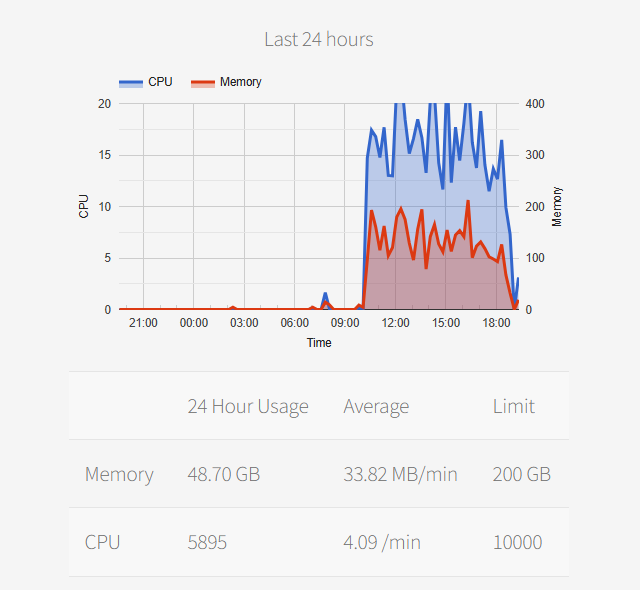
The code itself isn't the cause of your load, it's systemd. Whenever a process is running under a user account (CGI execution, scheduled tasks, sftp, etc.), systemd causes load for that account. That load counts even though the script itself uses next to nothing. The load from systemd is basically directly correlated to the amount of time you have processes running. The more stuff you run (or leave running), the higher it gets. You can even get suspended for load by connecting to sftp and leaving the open connection idle. Looking at what's running, the Python apps and the PHP called via scheduled tasks are likely what's causing systemd to be running for your account. Your load by process: 14.71 GB 0 (sd-pam) 12.37 GB 5.45 k /usr/lib/systemd/systemd --user 6.99 GB 34.7 /opt/plesk/php/5.6/bin/php -f httpdocs/airspace_around_me/web/api/ogn_bridge_control.php 5.46 GB 212 python3 -u ogn_bridge.py 4.73 GB 26 /opt/plesk/php/5.6/bin/php -f httpdocs/airspace_around_me/web/api/collector_control.php 3.07 GB 137.4 python3 -u collector_hosted.py 1.37 GB 41.5 /opt/plesk/php/8.3/bin/php-cgi -c /home/system/ogn.helioho.st/etc/php.ini 45.33 MB 0.4 /opt/plesk/php/8.5/bin/php -f httpdocs/airspace_around_me/web/api/notam_control.php 45.20 MB 0.2 /opt/plesk/php/8.4/bin/php -f httpdocs/ogn_tools/scheduled_daily_postprocessing.php 41.24 MB 2.1 python3 -u notam_collector.py 18.11 MB 0.3 python3 Scripts/puretrack_labelsConverter_json_to_db.py
-
 Closing since this was being handled over in email support which is now working again. https://helionet.org/index/topic/67209-hh546672-is-there-an-alternate-way-to-pay-mortys-19-fee/
 -
Thanks, I have enabled some scheduled tasks. I will monitor the Memory and CPU in the next a few days. The tasks only run for a few seconds every 2 minutes. So far the resources use is not significant. But I will see what may consume more and if there spikes. Before I move to Morty, i would like to understand what might be causing it. Thanks