Leaderboard



Popular Content
Showing content with the highest reputation on 07/05/26 in all areas
-
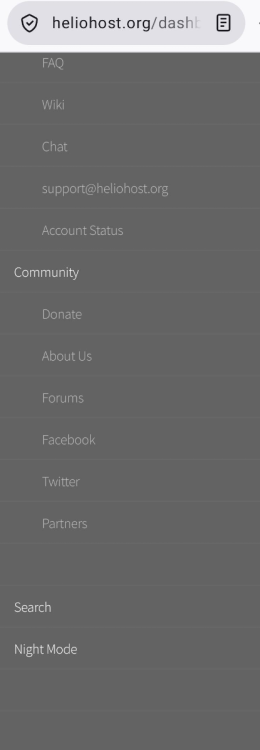
The option to log out of the Heliohost Dashboard is not available in the mobile version. And if I try to view the desktop version, it only displays the email address and the dropdown menu doesn't work. I'm using the Firefox browser.1 point
-
I was able to log out of the Dashboard. Excellent work. Thanks!1 point
-
I've added the .com domain to your account for you. Please note that it may take up to 2 hours for the domain change to take effect, and it will not work until you set up your DNS with your domain registrar. To configure your DNS, please see the steps provided on our Wiki to either set NS records pointed at the HelioHost nameservers, or create A/AAAA records and point them to your server's IPv4/IPv6 address: https://wiki.helionet.org/Addon_Domains#Custom_Addon_Domains If after a full 2 hours it doesn't work on your side, please make sure you clear your web browser cache: https://wiki.helionet.org/Clear_Your_Cache If you can't access any of the Wiki pages, please let us know what IP address was shown on the error page. If you no longer need the marchasdecristo.jaguerra27.helioho.st domain, please let us know if you want it removed. You're allowed to have up to 15 domains on your Morty account (and allowed to get more than 1 Morty account if you need more domains), so it's no problem to keep it for now and decide later on. 🙂1 point
-
Yeah, as long as the mobile version works there should be no reason to request a desktop site from a mobile device.1 point
-
I opened incognito windows in both mobile Chrome and Firefox, and I can see the logout button now. The desktop mode still shows the email address only, and no logout option when clicking on the email but that's not the main issue anyway.1 point
-
You'll probably need to clear your browser cache, but can you see the logout button at the very bottom of the mobile menu while logged in now?1 point
-
I can reproduce the same issue in mobile Chrome too.1 point
-
Thanks for reporting this. I downloaded Firefox to my mobile and I can reproduce the same issue. When logged in, the top of the menu still displays 'Log in' above all the other menu options, even though I am already signed in and can progress to Plesk and the other logged-in options. I'll escalate this thread for the attention of Krydos.1 point
-
Trying to upload a PNG image because the forum wouldn't let me upload a JPG.
 1 point