All Activity
- Past hour
-
I've added those domains to your account for you. Please note that it may take up to 2 hours for the changes to take effect. If after a full 2 hours they don't work on your side, please make sure you clear your web browser cache: https://wiki.helionet.org/Clear_Your_Cache
-
Could you please create two domains for me? My username is robev. One is thetaryag (thetaryag.robbiewolfe.heliohost.us ?) The other is parshaponders (parshaponders.robbiewolfe.heliohost.us) Thanks
-
Sounds good.
- Today
-
Interesting. Okay thank you it's all reset. If I run into any other issues I'll make a new thread.
-
The reason is because this forum account has the username robev, so the hosting account robev is reserved for the email address that matches the forum account. This is an intentional feature to help people not have their username stolen as long as the forum account exists. The email address on your hosting account actually matches the forum username repwolfe, but that account doesn't have any posts even so I'm going to merge it to this forum account and set the email address to match the hosting account. Try using the username robev now that the email addresses match.
-
I'm trying to reuse my old account name robev but it says it's not available. Maybe I need to cancel my VPS first? In any event I cancelled my VPS just now. Still not letting me use robev. If this is the reason for the issue perhaps it needs to be deleted first? It says it's in the queue.
-
I have started the reset. In a few minutes you'll receive an email. Click the link in that email to take the next step in the reset process.
-
Yes sorry I meant to say that.
-
 miguelap2030 joined the community
 -
 apollocomputerce joined the community
 -
 dentehrichard100 joined the community
 -
 fanzdev joined the community
 -
 ermicaballero joined the community
 - Yesterday
-
 benchikhakhaled joined the community
 -
I've added that domain to your account for you. Please note that it may take up to 2 hours for the domain change to take effect, and it will not work until you set up your DNS with your domain registrar. To configure your DNS, please see the steps provided on our Wiki to either set NS records pointed at the HelioHost nameservers, or create A/AAAA records and point them to your server's IPv4/IPv6 address: https://wiki.helionet.org/Addon_Domains#Custom_Addon_Domains If after a full 2 hours it doesn't work on your side, please make sure you clear your web browser cache: https://wiki.helionet.org/Clear_Your_Cache
-
 fabbietto75 joined the community
 -
Hello. I would like to add the domain auth.ryofist.dev to my account. My HelioHost username is ryofist.
-
Ready to do an account reset now? This will delete all of your files, and reset your account back to the default state. Once the account is recreated you can restore whatever you need from the full backup.
-

Request to increase max_input_vars to 5000 (PHP Settings)
wolstech replied to costacja's topic in Escalated Requests
Increased, it'll take up to 2 hours to become effective. For the space, 920MB of it is in files. Those Moodle installs are much more than 74MB each. The private folder is softaculous backups. -
Hi all, I've managed to follow the link again and create an account thanks for the quick responses
-
 forcept joined the community
 -
Domain added. It can take up to 2 hours to function. We don't offer self-service DNS editing at this time. You would need to provide the records you need and we would have to change them on our end if you need custom entries when using our name servers.
-
We found the invite. It looks like you're half-registered (it shows you clicked the link but did not finish registration, stopping at/after the password screen). Click the link in your welcome email again and see if it will let you complete the registration.
-
You're welcome Glad to see you were able to get the logs and fix the code issue. Please let us know if you need anything else.
-
I see your email address in the account requests list. Could you please provide the transaction ID of the payment, so we can investigate this further? Thanks!
-
Glad you sorted it out, I'll mark this request as [Answered]. For other forum users who see this post: We offer information on how to connect with FileZilla in our technical documentation at: https://wiki.helionet.org/Uploading_Files For most support requests, a quick search on the main page of the Wiki should offer some guidance: https://wiki.helionet.org/
-
oh, i forgot to edit a file in my site lol...
-
Solved again lol
-
nvm i fixed i t
-
Solved
-
 Willis joined the community
 -
I have paid for a morty account and validated my email address. I followed the link to create an account with the username willis1927 I entered a password and confirmed but when I try to login it says no account exists Many thanks Adam
-
 ruanmingze changed their profile photo
 -
 epik5 joined the community
 -
Hello, I would like to add the following sub domains to my account: Account Name: mbta98 Add Sub Domains: cv.bgs.my.id I will be moving these domains to ns1.heliohost.org and ns2.heliohost.org Where/how can I modify the DNS's value for these domain? E.g. for TXT records to enter SPF values? Thank you and kind regards
-
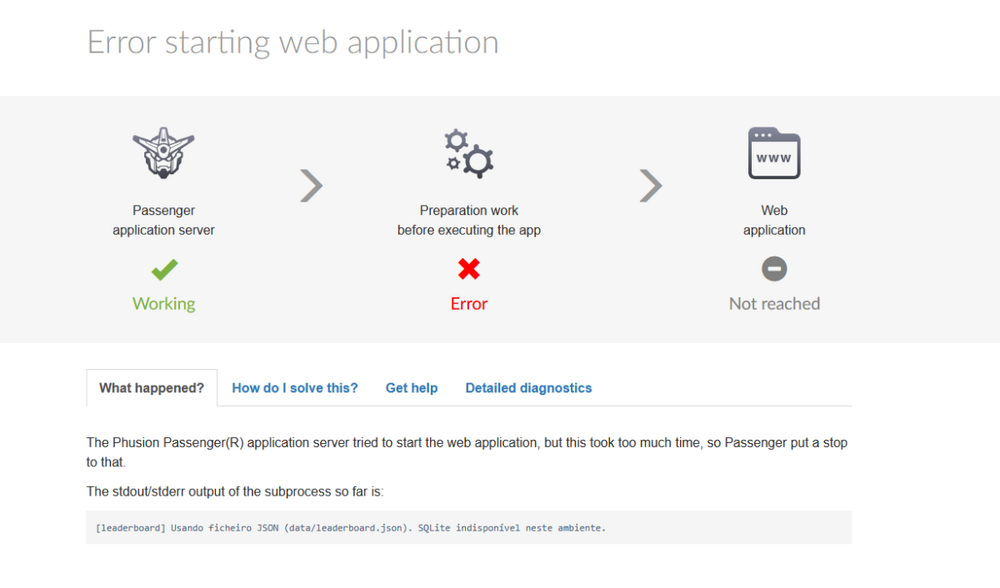
 Still doesnt show the error and now its says 504 Gateway Time-out doesnt load the page https://dead-run.helioho.st/api/health# https://dead-run.helioho.st/log/development.log and the log page stills says i cant see the logs yet if Krydos can take a look at the logs for me i would apreciate very mutch Update now the page is showing the error not api health but api scores I now have detailed diagnostics: Passenger times out at “Handshake with subprocess — 90s”. My Node process prints a log line but never reaches “app start listening for requests”. I realized my app was not calling listen() under Passenger. I’ve updated it to start the HTTP server with server.listen('passenger') when IN_PASSENGER=1 / Passenger env vars are set. I’ll redeploy and restart; this should fix the spawn timeout. Hi! I fixed it — the issue was Passenger spawn timeout because the app wasn’t starting to listen under Passenger. I updated the Node app to listen via the Passenger socket (server.listen('passenger') when IN_PASSENGER=1 / Passenger env vars are present). After redeploy + restart, /api/health returns JSON successfully (ok: true). Thank you for the guidance. thx 4 the help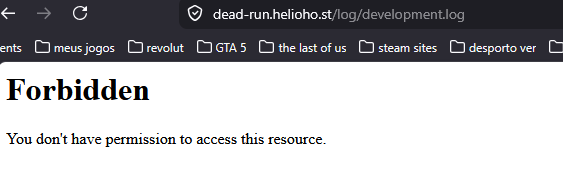





.thumb.png.258d2f446c87cb4f4f6ea5435c15a535.png)