All Activity
- Past hour
-
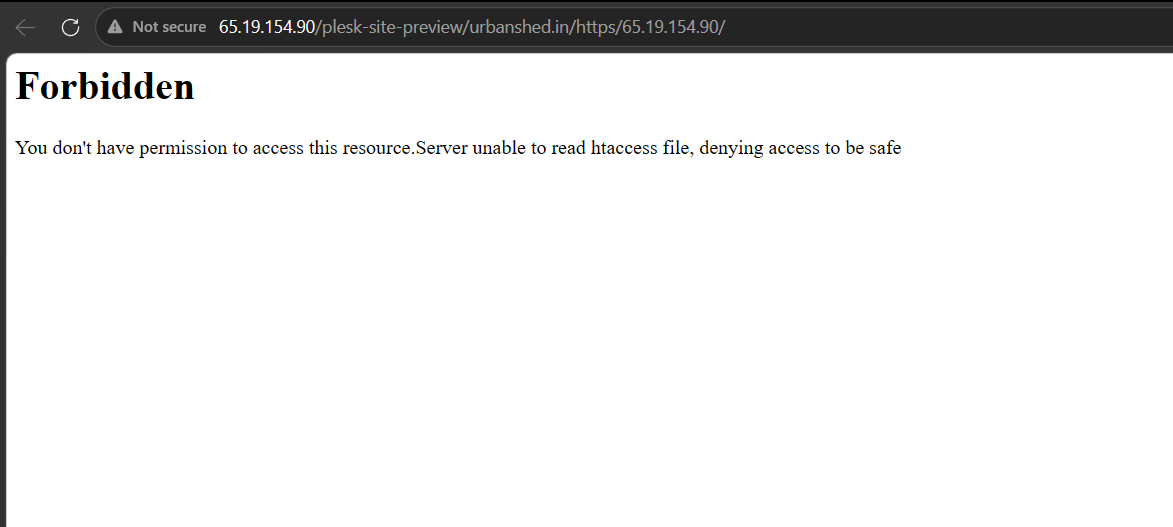
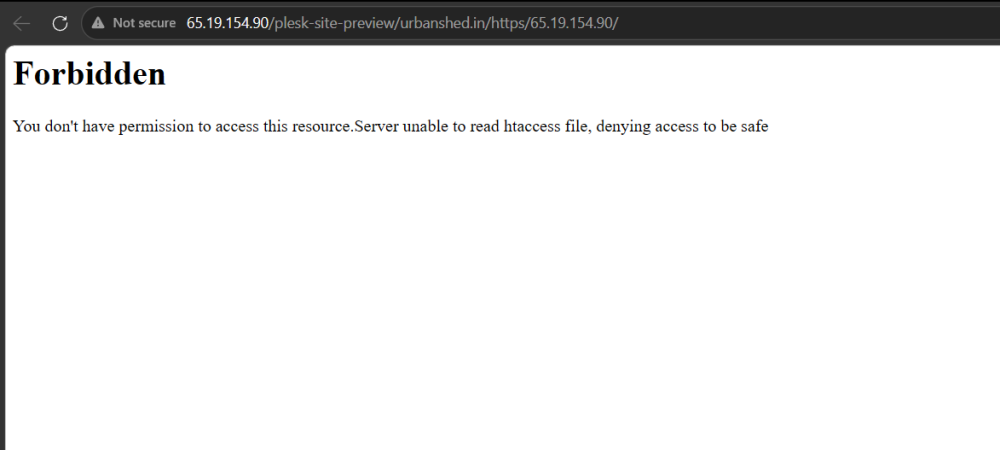
i have accidentally deleted my website folder urbanshed.in and after that i have copied again at same location but my webisite is not loading this is the error in attached screenshot.
-
The directory /var/www/html/files/c-cloud and all contents have been deleted. If you realize you need something that was inside there, or if I misunderstood what you wanted, I made a backup first and put it in /home/marcomessina/c-cloud.tar.gz for you.
-
Still one issue remains. Using SFTP I deleted the folder https://files.mm1.helioho.st/c-cloud/ if I http to https://files.mm1.helioho.st that folder is no longer visible, but if i use the complete explicit URL, the old files are still there. SFTP still sees them but if I try to delete the folder it refuses. How do I clear https://files.mm1.helioho.st/c-cloud/ permanently? Or could you? Thanks Marco
-
 locknchase changed their profile photo
 -
 thank you for sharing storage screenshots and helping me, getting to my mails so that I can delete them.
 -
Hello, I would like to add main domain atrium.city/ to username locknchase Thank you so much
- Today
-

[Krydos] Database Missing After Server Migration
Krydos replied to pptvirtual's topic in Escalated Requests
So, Morty and Morty2 are using much newer versions of MariaDB than Tommy. When you went from Morty to Tommy some of your new collation doesn't exist on Tommy's older MariaDB so it wasn't able to create those tables. ERROR 1273 (HY000) at line 766 in file: '/tmp/pmm-ru-udb-dump-yVJTNQ/backup_sqldump_2605201808': Unknown collation: 'utf8mb4_uca1400_ai_ci' We're going to be upgrading Tommy to use the same version of MariaDB as Morty2 as soon as the Johnny rebuild is finished. You've got enough Morty balance now to last probably 2 years with no overages, so it probably won't be an issue again for you. I found 6 databases, and put them in your home folder for you as .sql files. You'll probably need to recreate the database, and then import the .sql file in. Since you're on Morty2 now there shouldn't be any issue with the collation anymore. Let us know if you're still missing anything. -
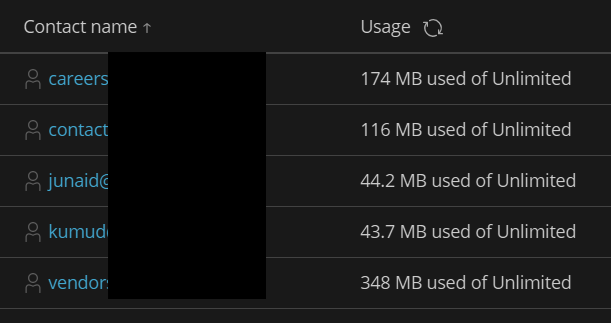
This might help you too
-
Yeah, that's a lot of emails. Backups 0 MB Emails 728.44 MB Files 245.03 MB Trash 0 MB Logs 23.35 MB PSQL 0 MB MariaDB 0 MB Total 996.82 MB 172K /home/urbanshed.helioho.st/httpdocs 245M /home/urbanshed.helioho.st/urbanshed.in 12K /home/urbanshed.helioho.st/.composer You're at 996 MB out of 1000 MB so you may be able to login quick and start deleting stuff before it goes over the limit again.
-
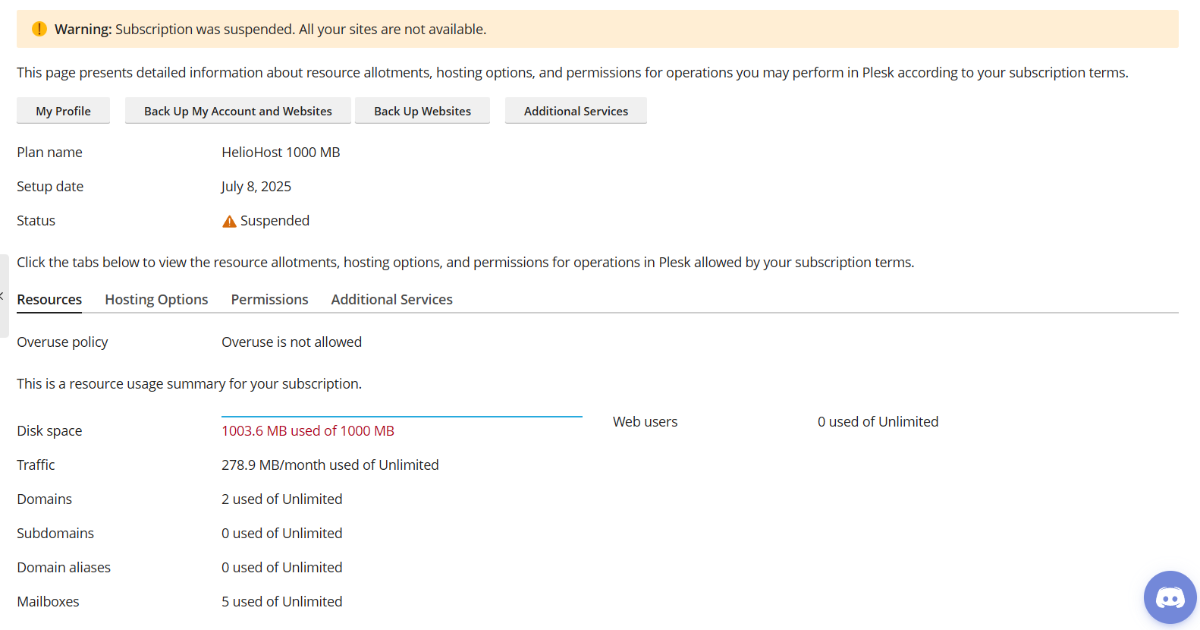
Your account was suspended because you exceeded your storage limit. You have 3 options to regain access to your account: You are able to regain access to your account immediately without waiting for an admin by increasing your account's storage space. This storage space upgrade is good for the life of the account, and has no monthly cost. Tell us which files you would like deleted and an admin can delete them for you to get you back under your current storage limit. If you're not sure which files are taking up all of your space an admin can provide a detailed storage space usage report for you. We can also reset your account for you which deletes all files, deletes all settings, and restores your account back to the default state with 0 MB of storage usage.
-
DNS recreated.
-
[Solved] Wordpress site broken after migration
Krydos replied to thirugns's topic in Escalated Requests
Fixed. The issue is Morty has a newer MariaDB than Tommy, and you created your Wordpress database using a collation that doesn't exist in the older MariaDB on Tommy. After converting your data into a collation that Tommy understands it works fine now.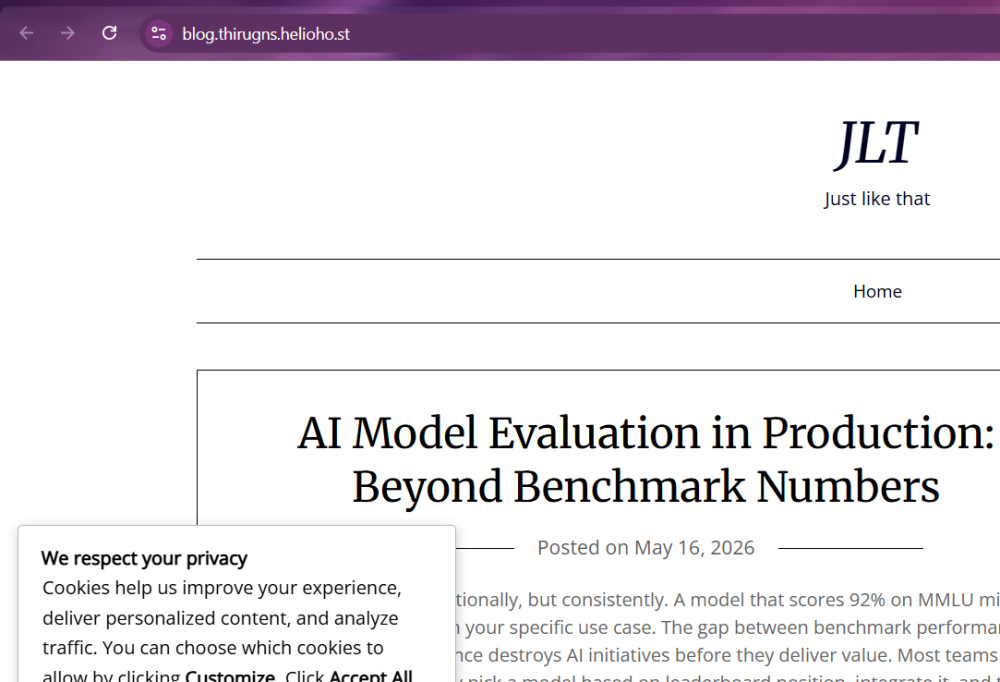
-

[Solved] Wordpress site broken after migration
wolstech replied to thirugns's topic in Escalated Requests
It looks like most of the tables are missing from the database thirugns_wp335. There's only 5 tables in there, but WP should have a lot more. Krydos will need to investigate why they're missing after the migration to Tommy. -
is there any way to analyse, what is consuming the storage, if my emails are consuming space, how can i delete them to free up the space, keeping only what i need and delete everything else, but right now due to account inactivation i am not able to access the emails as well on my email client.
-
[Krydos] Database Missing After Server Migration
wolstech replied to pptvirtual's topic in Escalated Requests
Krydos will need to take a look at what happened here. -
 An administrator can check conclusively what is consuming your storage quota, but it's worth noting that any emails or databases you may have also contribute to that same quota. To resolve this issue, you can upgrade your storage at https://heliohost.org/dashboard/, reset your account, or request an administrator delete any excess files.
 -
Your account has been reset. You should receive an email link to recreate your account shortly.
-
This support request is being escalated to our root admins.
-
Hello HelioHost Support, I previously had my account hosted on the Morty server, but after my balance expired the account was moved to Tommy automatically. Recently, I upgraded the account again and received the confirmation email that my account had been moved back to the new server successfully. The website files appear to be present and intact in Plesk, however my databases are missing. It seems that the database migration was incomplete or failed during the downgrade/upgrade process. Could you please verify if my previous MySQL/MariaDB databases still exist on the old server or if they can be restored? A large part of my website depends on these databases and currently the site is unable to function correctly because the databases are missing. Thank you very much for your support.
-
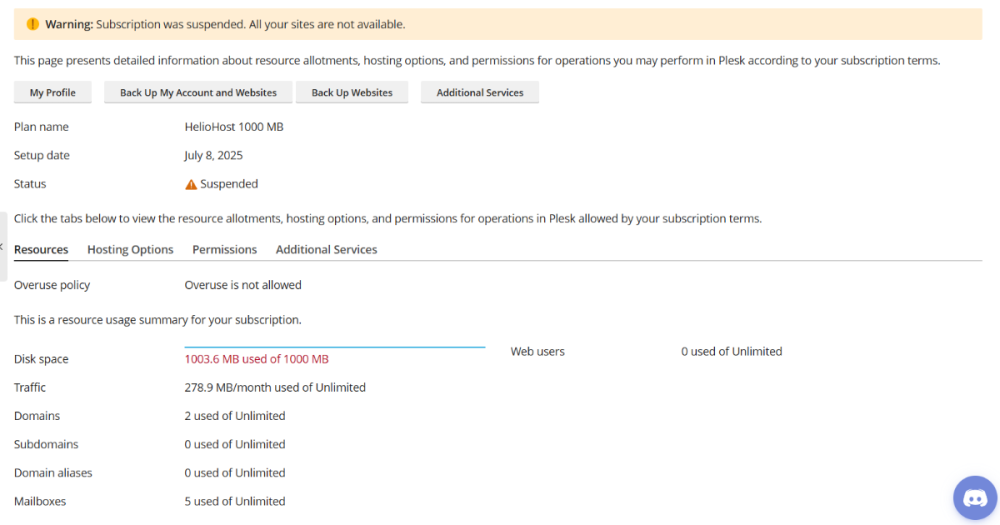
Hello, My website was not opening, so I checked my Plesk account and noticed that it shows my disk space usage has exceeded the allowed limit. However, my website is the only thing hosted on the account, and I have not uploaded any additional files since the beginning. I would like to understand why the account is showing as overused. Also, due to the account suspension, I am currently unable to access my files to check what is causing the issue. I am also unable to receive emails or access my website data. Could you please help me investigate and resolve this issue at the earliest possible convenience? Thank you for your support and assistance.
-
[Solved] Python Module Installation request - ctrlroom.heliohost.us
Krydos replied to ksuresh's topic in Escalated Requests
Since the requested modules were installed, and you didn't answer my question about whether or not you're asking about WSGI control access, I'm going to assume you don't want WSGI control access and this request is complete. If you really do want to have WSGI control access enabled please open a new request. -
[Inactive] Does Tommy Server Not Support WebSocket Upgrades?
Krydos replied to genwork's topic in Escalated Requests
Closing due to inactivity since there has been no response in this thread for over a week. If you're still having this issue or need help with something else please open a new ticket. -
[Inactive] Does Tommy Server Not Support WebSocket Upgrades?
Krydos replied to genwork's topic in Escalated Requests
To summarize, yes there are two ways to do a websocket on Tommy. You can set up a reverse proxy with .htaccess on your own, but some software have issues with this method. If that doesn't work for you an admin can set up a Nginx reverse proxy for you. You just need to make sure The process that is going to be listening for websocket requests is already running. Let us know your username. Let us know which domain or subdomain you want to be the websocket. Let us know the port your websocket process is listening on. After we have that information we can set up the Nginx reverse proxy websocket for you. -
please Reset my Account as i am not able to see the problem. it seen that storage limit exceed. you can delete my file to restore my account.
-
thank you. Working now. Have a great day, you made mine
-
My domain argus.helioho.st is down. I've tried to access from multiple devices, browser and restart it from plesk dashboard with no success. im on tommy server