All Activity
- Past hour
-

[Krydos] The option to log out of the Heliohost Dashboard
KazVee replied to kitty's topic in Escalated Requests
I can reproduce the same issue in mobile Chrome too. -
[Krydos] The option to log out of the Heliohost Dashboard
KazVee replied to kitty's topic in Escalated Requests
Thanks for reporting this. I downloaded Firefox to my mobile and I can reproduce the same issue. When logged in, the top of the menu still displays 'Log in' above all the other menu options, even though I am already signed in and can progress to Plesk and the other logged-in options. I'll escalate this thread for the attention of Krydos. -

[Krydos] Payment error and request some time
Krydos replied to kbp2025's topic in Escalated Requests
You said your card wasn't working on PayPal so I gave you a Stripe link. Does your card work on Stripe? -

[Krydos] Payment error and request some time
kbp2025 replied to kbp2025's topic in Escalated Requests
Can you give me that time pls -

[Krydos] The option to log out of the Heliohost Dashboard
kitty replied to kitty's topic in Escalated Requests
Trying to upload a PNG image because the forum wouldn't let me upload a JPG.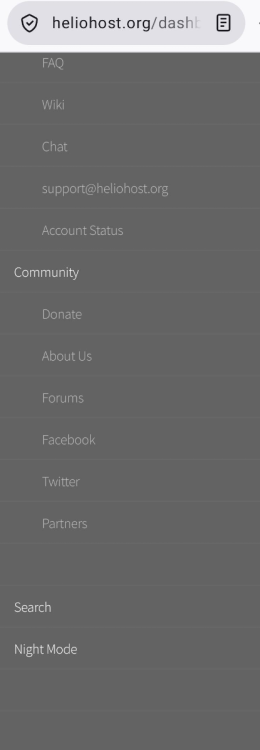
-
 I am happy with either setups. I can try to do both. As long as globalyouthsciencejournal.app works. Right now it's not working, that's my concern.
 -
[Krydos] The option to log out of the Heliohost Dashboard
kitty posted a topic in Escalated Requests
The option to log out of the Heliohost Dashboard is not available in the mobile version. And if I try to view the desktop version, it only displays the email address and the dropdown menu doesn't work. I'm using the Firefox browser. - Yesterday
-
 wannesdemaeyer joined the community
 -
 Is your goal to make https://globalyouthsciencejournal.app/ show the same content as globalyouthsciencejournal.helioho.st? Or is the content supposed to be different on the .app site? If they're supposed to be identical, an alias is probably an easier route than duplicating the site and figuring out why the .app copy is broken.
 -
[Krydos] Payment error and request some time
Krydos replied to kbp2025's topic in Escalated Requests
Does this link work? https://buy.stripe.com/14AeVf3VAdIP5JfegZco007 -
Morty Billing Query - Moodle 5.1 and 5.0 MARIADB version error
Krydos replied to costacja's topic in Escalated Requests
Did you get this email we sent you on May 17th?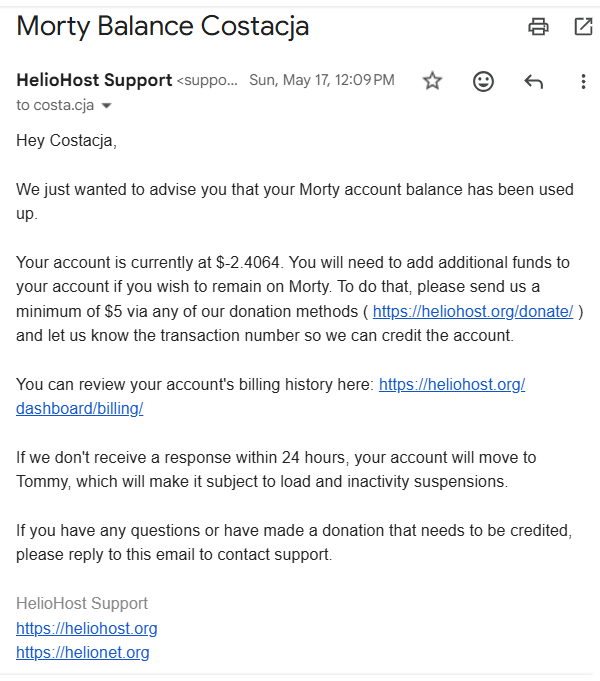
-
Morty Billing Query - Moodle 5.1 and 5.0 MARIADB version error
KazVee replied to costacja's topic in Escalated Requests
This support request is being escalated to our root admins. I've also removed the [Solved] so the escalation for your billing query is clearer. -

Morty Billing Query - Moodle 5.1 and 5.0 MARIADB version error
costacja replied to costacja's topic in Escalated Requests
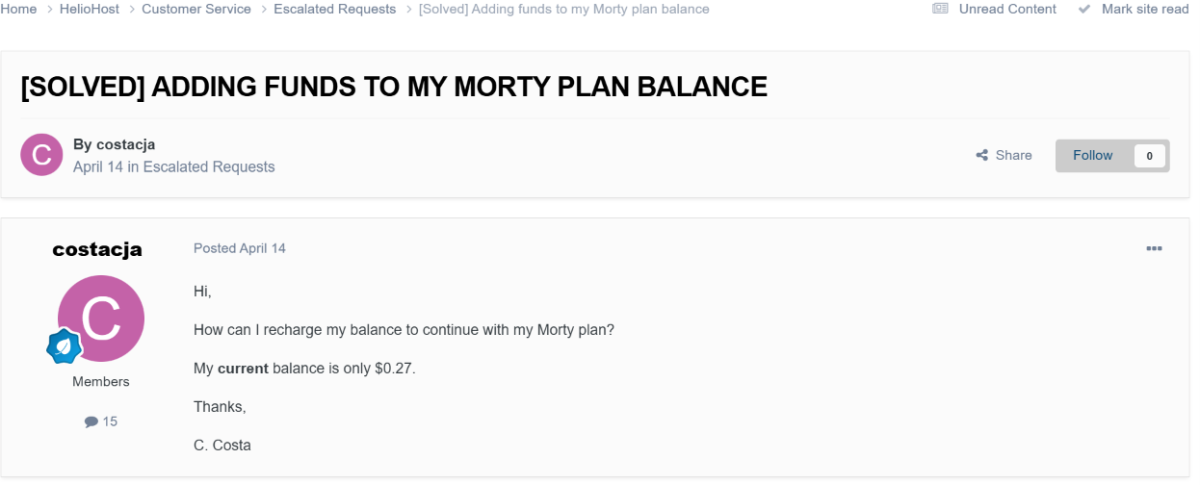
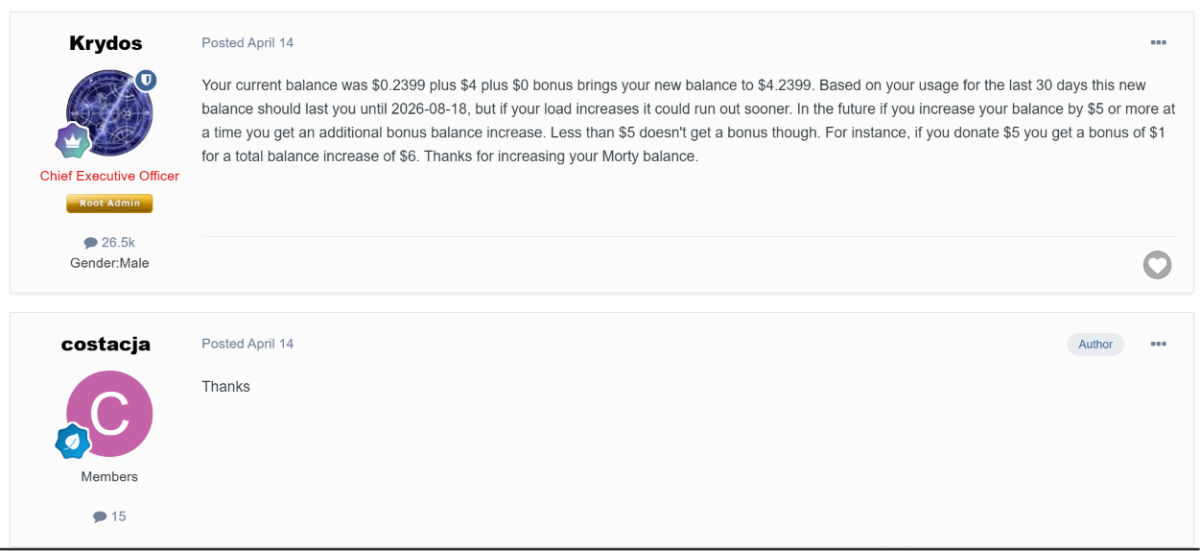
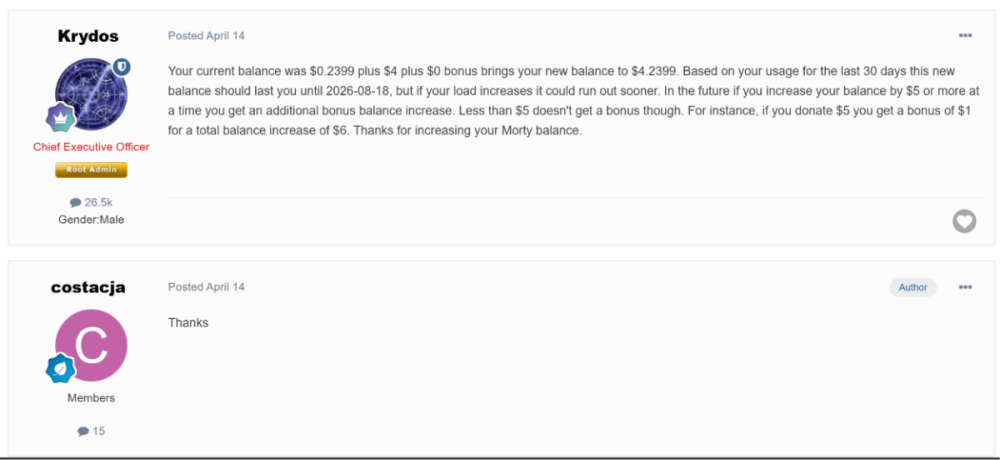
Hi. I'm sorry, but on April 14, I had a Morty plan with a balance of $4.2399. By the way, at the time, I was running Moodle 5.1.3 (if I'm not mistaken), which has since stopped working. That's why I tried to reinstall it. You can check the ticket I submitted on April 14: “[Solved] Adding funds to my Morty plan balance.” I don’t know where I can view my plan — I can’t find it on the dashboard. I would appreciate it if you could look into this and re-enroll me in the Morty plan. Best regards, Carlos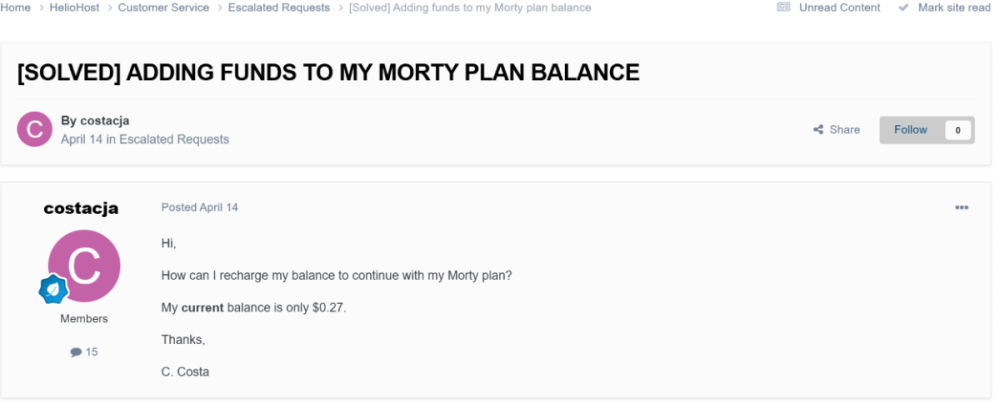
-
The thing is I've uploaded the right code and everything in globalyouthsciencejournal.helioho.st that one everything works. The correct DB, no problem at all. The problem starts when I try to use my domain in the site. The domain is globalyouthsciencejournal.app. In my dashboard, that's the one that's showing all the problems. The globalyouthsciencejournal.helioho.st is fine.
-
Hey I got something wrong with my card and it oes not working with my paypal account to pay with. Can you give me some time till I fix this please. At least 2 weeks. I will surely fix the payment within that time. Thank you
-
The error mentions "Failed to change directory to /home/globalyouthsciencejournal.helioho.st/git/website" however the site you're seeing the error on is actually "globalyouthsciencejournal.app", is this correct? You're trying to connect to a directory inside the helioho.st site from the .app site? When I check globalyouthsciencejournal.app, I see a different error now: Database Connection Error: SQLSTATE[HY000] [1105] Connections using insecure transport are prohibited. See https://docs.pingcap.com/tidbcloud/secure-connections-to-serverless-tier-clusters Edited to add: We have some info in the Wiki for the "DB query failed: "SET sql_mode = ''" Error code: 2002 Error: SQLSTATE[HY000] [2002] No such file or directory" message here: https://wiki.helionet.org/500_Database_Error
-
Error: filemng: Failed to change directory to /home/globalyouthsciencejournal.helioho.st/git/website: No such file or directory System error 2: No such file or directory Server Error 500 Plesk\Exception\Database DB query failed: "SET sql_mode = ''" Error code: 2002 Error: SQLSTATE[HY000] [2002] No such file or directory Type Plesk\Exception\Database Message DB query failed: "SET sql_mode = ''" Error code: 2002 Error: SQLSTATE[HY000] [2002] No such file or directory File Mysql.php Line 68 You may be able to resolve the issue automatically using Repair Kit. If you are the server administrator, try resolving the issue using our troubleshooting tool, Repair Kit. Open Repair Kit You will be asked to enter the Plesk administrator password. Need help resolving the issue? Visit Plesk Help Center. That's what you can do Reload PageBack to Previous PageHome PageSearch for related Knowledge Base articles Report a problemDocumentationKnowledge baseForumYouTubeFacebook
-
After looking back at this, were you trying to add marchasdecristo.com or marchasdecristo.jaguerra27.helioho.st to your account?
-
Subdomain added. It can take up to 2 hours to start working.
-
Your hosting account username: jaguerra27.helioho.st The subdomain you want added: marchasdecristo.jaguerra27.helioho.st The full domain you want the subdomain to be attached to, including the top-level domain (TLD): If you've purchased a custom domain, specify the TLD (such as .com, .net, etc.): www.marchasdecristo.com
-
 shr joined the community
 - Last week
-
 tal parvaz joined the community
 -
Domains removed.
-
 campusgiraffen joined the community
 -

[Solved] Unsuspend account
developer1 replied to developer1's topic in Suspended and Queued Accounts
Thank you very much for the time and effort. To avoid occupying your time further, and since those WP domains(agi and sai) are not working or in use anymore(I recall that i had issues setting up the wordpress there due to transfer limits), please go ahead and delete them entirely including the domains, so as to avoid any future issues. We can also go ahead and delete the Lda and Ths domains entirely as well as well since we can't/won't be installing WP on them anymore and hence are longer in service. Thank you again. -
Your account has been reset, you should receive an email to recreate it shortly. A backup of your account is available here: https://heliohost.org/backup/
-
My username is adwaithhs. I am returning to my account after some time. I can't reach https://adwaithhs.helioho.st/ now (my original domain). Can I either get it reset to another domain or just get this one working. The domain name doesn't matter it is for personal use.
-
panel.pakiware.site was added to your account, it can take up to 2 hours to start working. You already had pakiware.site on your account. If you are experiencing problems with this domain, please let us know what issue you are facing so we can look into it.
-
hello can u add the domain pakiware.site and subdomain panel.pakiware.site to my account please, thank you.