All Activity
- Past hour
-
You can view how much space (out of the 1000 MB) is being used by checking inside Plesk > Statistics from the left side menu. Please note: Plesk doesn't recalculate in real time, so there's a delay between uploading and the statistics reflecting what's in your account. Node versions available on the Tommy server are: 23, 22, 21, 20, 18, 16. You can view them by logging into Plesk and going to: Websites & Domains > Get Started > Node.js button > Click on the Node.js Version value to view other versions of node available. A word of caution about Node: Node apps often require a lot of server resources, and exceeding the account load limits will cause your user account to be suspended for high server usage. You can keep an eye on your account load here: https://heliohost.org/dashboard/load/ I'll escalate this thread to the root admins for your OS-related questions.
-
I wanted to know the details of the server, installed software version, disk space usage in my space, etc. like uname -os ldd --version python --version node -v du -sh * du -sh .[^.]*
-
Hello! On hosting accounts, secure shell access (SSH) is disabled for security reasons. However, it is possible to run jailed shell commands using Plesk's Scheduled Tasks (cron jobs) feature. In many cases, SSH is not actually necessary. If you let us know what command you want to run, and we'll be happy to investigate other ways to accomplish the same task without SSH. If you absolutely require SSH access, you will need a VPS. We offer a range of VPS plans, and a 10% discount when you pay for 6 months upfront. You can view the VPS plans we offer here: https://heliohost.org/vps/
-
Hi, I just signed up for hosting and checking for SSH Terminal access, but the dashboard shows it is forbidden. How to enable? Thanks Kumar
- Today
-
 elevatecore joined the community
 - Yesterday
-
I've reset your account as requested. You should receive an email shortly so you can take the next steps to recreate it. I made a backup before the reset, so if you discover you need any of your old files, you can download the backup here: https://heliohost.org/backup If you're not sure how to extract the backup files, please let us know which Operating System you use, and we can send you the specific steps you'll need. Thanks!
-
Hello, I would like to reset my account, username :sloooth domain: sloooth.helioho.st Thank you.
-
While we're working to unblock you, here are the steps (copied from the Wiki) to add more funds to your Morty account: Adding Funds to Morty Account To add funds to your Morty account, go to https://heliohost.org/donate/ and type in the amount (at least $5 or more) that you want to add. Once the transaction is complete, provide: Your account username The Transaction ID Once an admin confirms the transaction, the funds will be added to your Morty account balance, and they'll update the thread to let you know. The ability to add funds to your Morty account will eventually be built into the account dashboard, but there is no ETA for when this will be completed. Once this feature is available, it will be announced in the HelioNet News section, as well as elsewhere on our site and our social media.
-
 gemahsagara joined the community
 -
Krydos can unblock this for you.
-

[Krydos] Custom Services ( Python, Django, Flask ) enable
wolstech replied to abhisrv2's topic in Escalated Requests
Krydos can unblock this for you. -
I've added that domain for you, it'll take effect in about two hours. If you don't want to use HelioHost's nameservers, then create an A record and/or an AAAA record to Tommy's IP (which you can find by logging in to Plesk and scrolling to the bottom).
-

[Krydos] Custom Services ( Python, Django, Flask ) enable
abhisrv2 replied to abhisrv2's topic in Escalated Requests
Please see the attached screenshot below.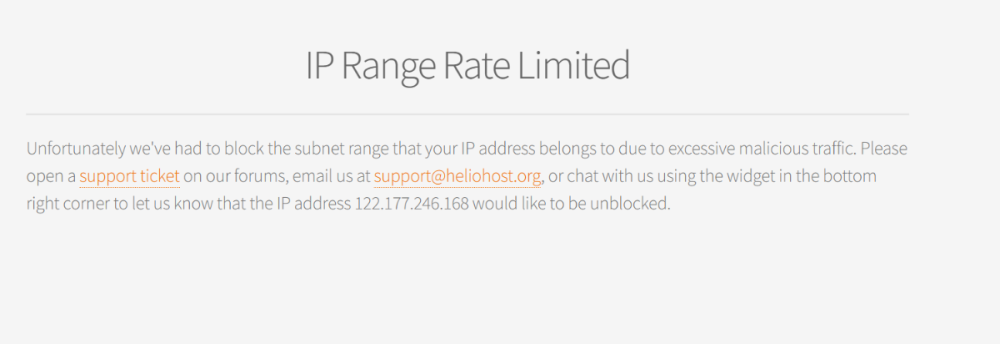
-
[Krydos] Custom Services ( Python, Django, Flask ) enable
wolstech replied to abhisrv2's topic in Escalated Requests
There isn’t anything to enable. These just work. The wiki is blocked for almost all users right now though due to bot abuse, so if you’re clicking those buttons in Plesk to try and see the documentation on how to use it, you’re probably seeing a block page. what IP address is showing on that page so we can get it unblocked for you? -

[Krydos] Account recharge
lombardonicolo49 replied to lombardonicolo49's topic in Escalated Requests
I was trying to read the guide you just provided but I encountered this problem: Unfortunately we've had to block the subnet range that your IP address belongs to due to excessive malicious traffic. Please open a support ticket on our forums, email us at support@heliohost.org, or chat with us using the widget in the bottom right corner to let us know that the IP address 95.234.109.247 would like to be unblocked. -
Hello, my username is terezajanska and I've just registered hosting on Tommy server. I would like to add my custom domain dominiumkrve.eu. I don't want to transfer it here by nameserver, only direct it to my website on your hosting by A and AAA record. Would it be possible to create it and gave me the details to set up my domain? Thank you! Tereza
-
Hi Team, Can you please enable custom services python, djano, flask for all domains also please unblock my ip address.
-
 terezajanska joined the community
 -
Hello! To add funds to your Morty account, please follow the steps on our Wiki guidance page here: https://wiki.helionet.org/Morty#Adding_Funds_to_Morty_Account
-
Hi, I'm almost out of credit on my HelioHost account. How can I top it up?
-
 omkar1914 joined the community
 -
Your VPS is rebuilding and you'll get an email when it finishes, your next free rebuild will be on 2026-07-22
-
The IP you listed doesn't appear in the firewall listing on my side. Escalating to have this looked at.
-
This support request is being escalated to our VPS admins.
-
Escalating to have this rebuilt.
-
Hello, Can you rebuild my server and include Hestia Control Panel at the same time please. Regards Douglas
-
 I tried to create a free account but it wasn't working, and when I clicked the link on the page, there was a message saying my IP address (177.105.82.141) had been blocked, but I don't know why! I want to create an account to host my website and test it during its development, so please help me!
 - Last week
-

[Solved] Suspend/Degrade/Halt Hosting Service temporarily
KazVee replied to msbsurfi's topic in Customer Service
Looks like your friend was able to Archive their account on 2026-06-16 18:33:35 so I'll mark this as [Solved]. If you need assistance with anything else, please create a new post and we'll be happy to help. 🙂 -
 dwinterwolf joined the community
 -
Hello! I've added those domains to your account for you. Please note that it may take up to 2 hours for the domain changes to take effect. If after a full 2 hours they don't work on your side, please make sure you clear your web browser cache: https://wiki.helionet.org/Clear_Your_Cache
- 1 reply
-
- 1
-