All Activity
- Past hour
-
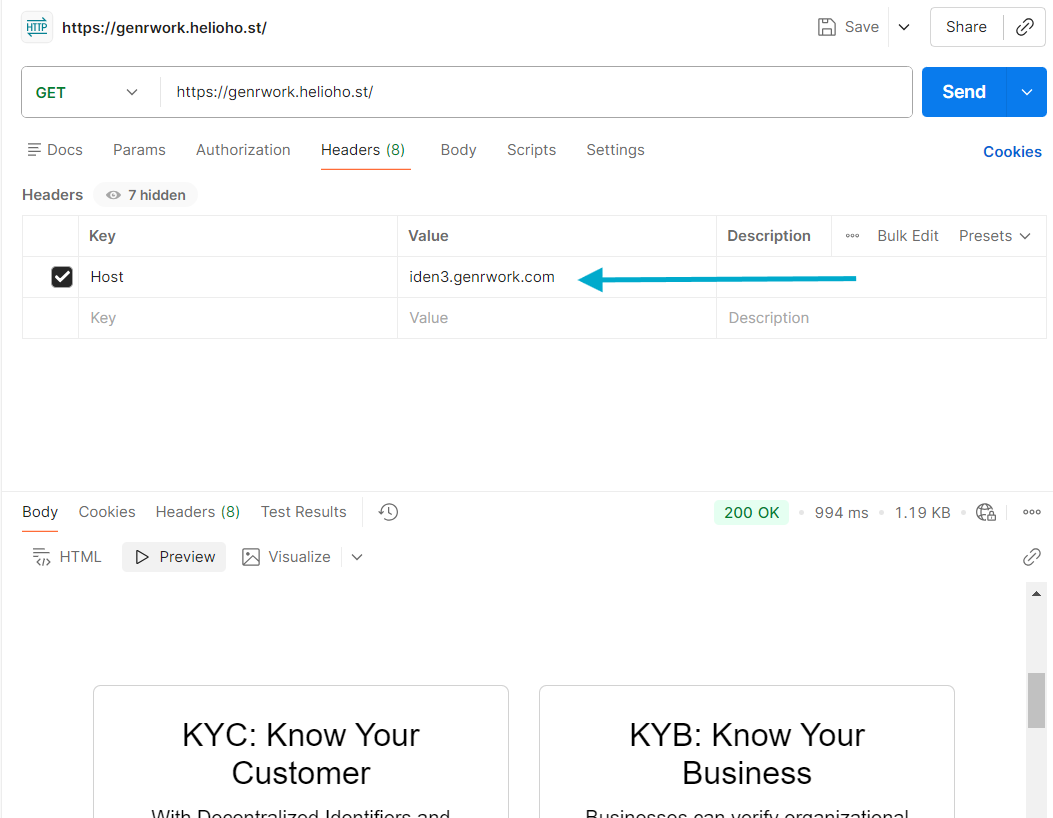
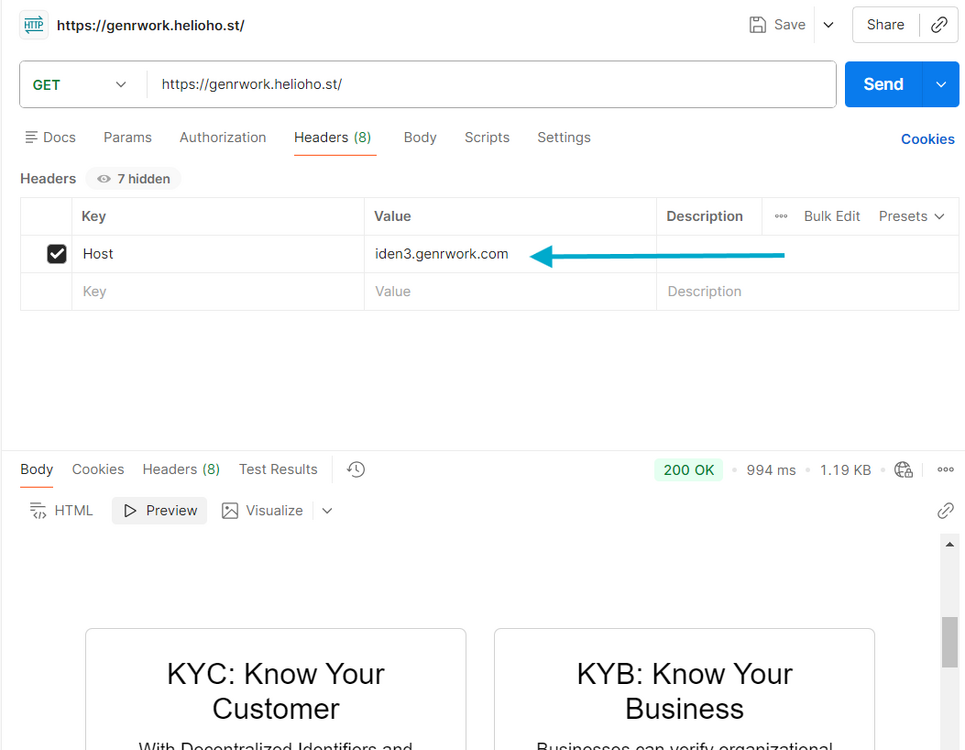
But why can [iden3.genrwork.com] connect to the Heliohost server even though the IP and NS used aren’t Heliohost’s?
-
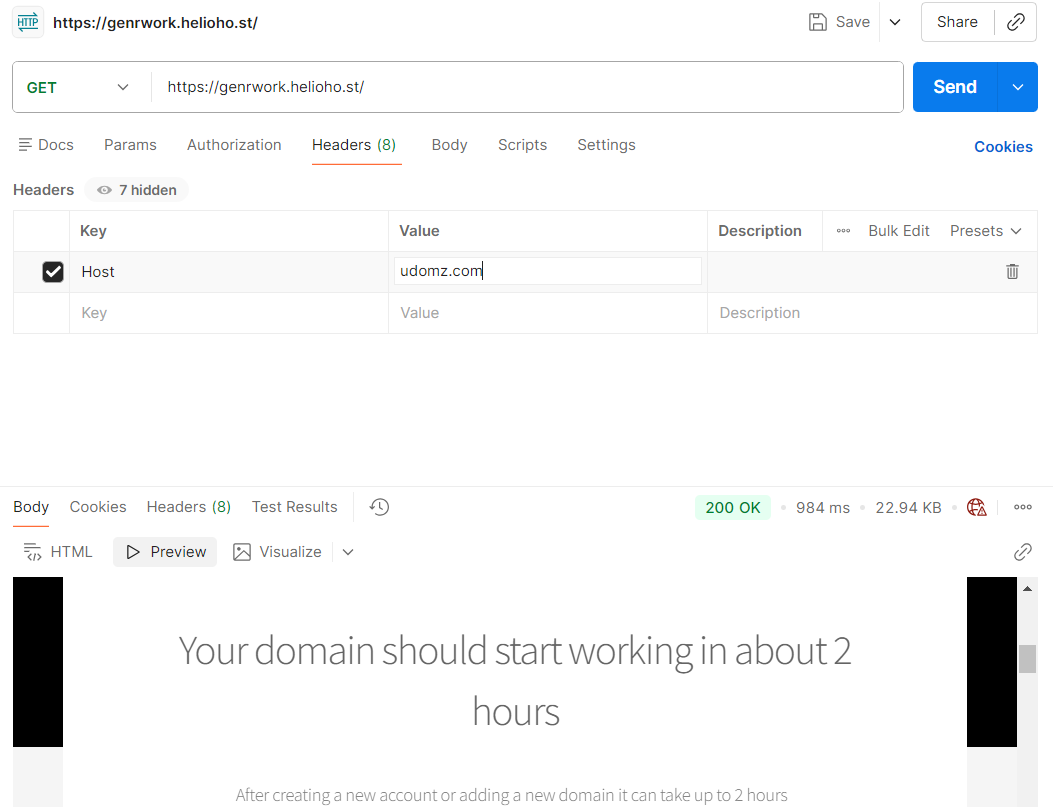
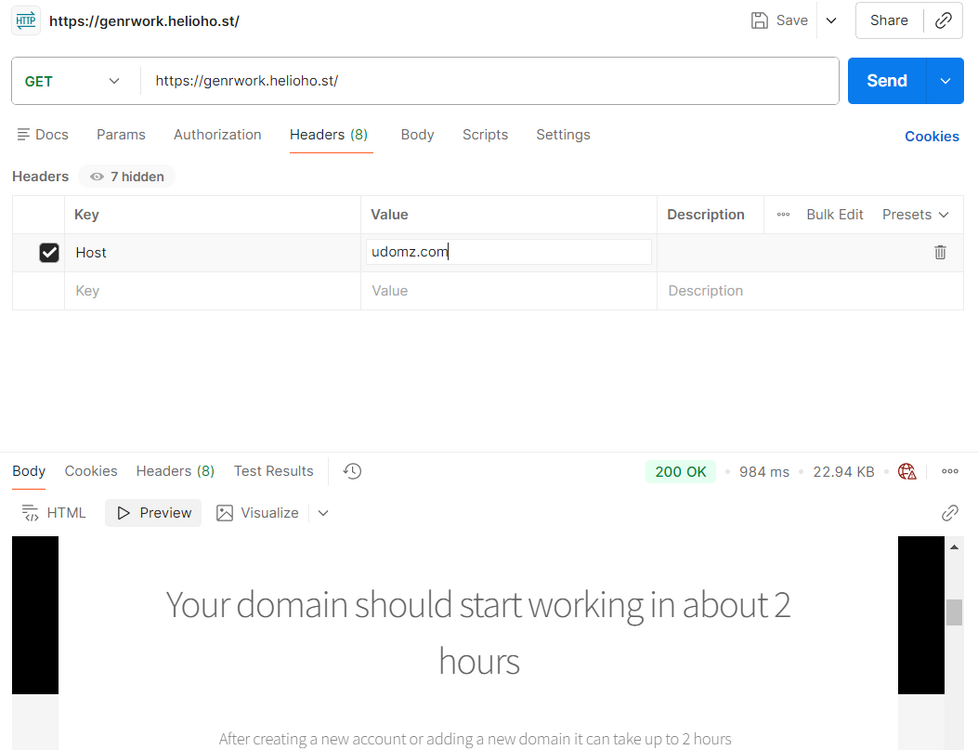
The udomz.com domain is not hosted with us at the moment. It is attached to your account but is disabled because it has DNS records that do not point to us. We see the below DNS records for udomz.com, which are incorrect. Either the NS records need to be changed to ns1.heliohost.org and ns2.heliohost.org, or the A record needs to be changed to the same .90 IP as the genrwork.helioho.st domain. If you change the DNS to point to us, you will also need to go into the domain in Plesk, set its status to Active, and wait up to 2 hours for it to become functional. If you do not want the udomz.com domain to be hosted here (or it's not your domain and was inadvertently added), let us know and we can remove it from your account instead. Incorrect A record for udomz: host: udomz.com class: IN ttl: 60 type: A ip: 151.101.41.242 Third party NS records: host: udomz.com class: IN ttl: 78276 type: NS target: ns1.vercel-dns.com host: udomz.com class: IN ttl: 78276 type: NS target: ns2.vercel-dns.com
- Today
-

[Solved] Add SPF, DKIM, and DMRC to my Account
douglaswebster21 replied to douglaswebster21's topic in Customer Service
Thank you, the test is reporting 10/10 and my gmail account is receiving the emails as well. Regards Douglas -
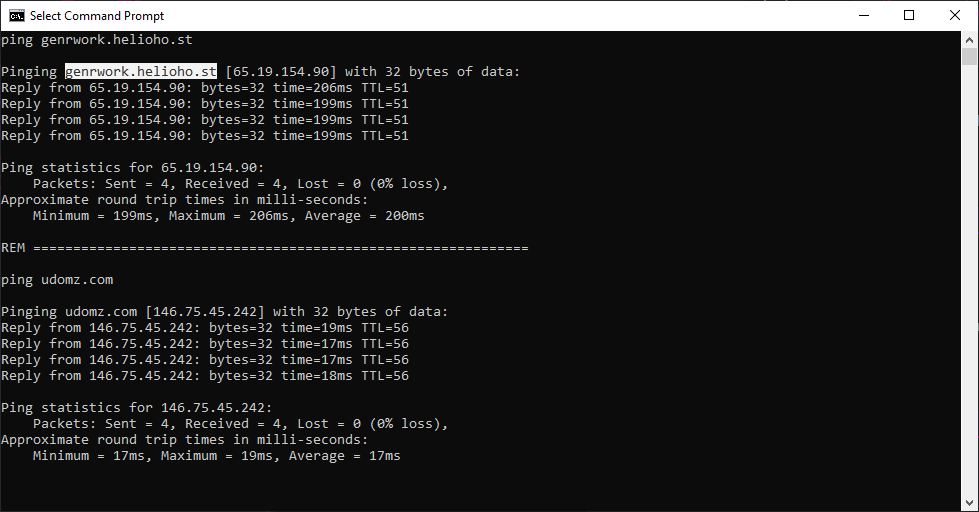
It doesn't seem to be a browser issue, especially since the [genrwork] domain points to Heliohost's IP address, not Cloudflare's. And what I'm taking issue with is the domain [udomz.com], not [genrwork.com]
-
Try clearing your browser cache. If that does not resolve it, it's probably an issue upstream somewhere, likely either a stale cache at your ISP or a DNS configuration issue. Since you do not use our DNS, and you have genrwork's DNS hidden behind Cloudflare, we are unable to troubleshoot this further. If you would like us to troubleshoot this, please turn off the Cloudflare Proxy and any associated gateways/security pages like Cloudflare Turnstile on genrwork.com. As for the domain udomz.com showing that domain setup page, it's because it is currently disabled due to not being pointed to our servers. Domains with DNS records that do not point to our IP addresses are automatically disabled to reduce server load.
-
 gpt joined the community
 -

[Solved] Add SPF, DKIM, and DMRC to my Account
wolstech replied to douglaswebster21's topic in Customer Service
DKIM, SPF, and DMARC have been set up for the domain douglaswebster21.helioho.st. We recommend sending a real email (not just the word "test" or a blank email) to https://www.mail-tester.com/ to make sure that everything is set up correctly. If you get less than a 10/10 score please post a link to the full report so we can help you fix any other issues that there may be. -
 heyeucomprei joined the community
 -
 zewaxtrenal joined the community
 -
 cordelles3 changed their profile photo
 -
cordelles3 joined the community
-
Please add SPF, DKIM, and DMARC Records to my account as gmail requires all senders to authenticate. username douglaswebster21 domain name douglaswebster21.helioho.st Regards Douglas
-
udomz.com is having issues again. It was working fine before. but I can still access iden3.genrwork.com through the proxy
-
 josesalcedo joined the community
 -
My apologies, the issue described previously with 404 errors, at least this time (after reset) does seem to be related to waiting for an apache restart.
-
 krishnachaudhary joined the community
 - Yesterday
-
 kalelidev joined the community
 -
Domain changed, it'll take effect in about 30 minutes.
-
[Solved] Why was my account suspended? (devashraf)
wolstech replied to devashraf's topic in Suspended and Queued Accounts
Glad to see you figured it out Please let us know if you need anything else. -

[Solved] Why was my account suspended? (devashraf)
devashraf replied to devashraf's topic in Suspended and Queued Accounts
I'm here to inform you that I had a bug in FileZilla Portable, where the conenction was not always closed after session end, and I have to manually simply press CTRL+D to close the connection. This was caused the abnormal FTP activity flag. Thank you. -
 trai99543 joined the community
 -
My userid is manur123 I want my domain "manur123" to be updated to "mandadi"
-
Java / JSP is not currently available on the shared hosting accounts. Although it is on the roadmap, there is no estimated timeframe as to when Java may be offered. You can read more about ETAs here: https://wiki.helionet.org/ETA In the meantime, if you need Java / JSP, you would need a VPS. We offer different plans, starting at $4 USD / month, with a discount of 10% if you pay for 6 months upfront (which is confirmed once you select a specific pricing plan): https://heliohost.org/vps/ Once Java support returns, it will be announced in our forum News section (https://helionet.org/index/forum/1-news/), the Java page in our Wiki (https://wiki.helionet.org/Java_JSP), our Discord channel, and our social media.
-
I want to deploy a Java based app.. When /How to get Java enabled hosting
-
 gionata851 joined the community
 -
 bishalbhattrai11 joined the community
 -

ToolHive - Multiple tools, one spot
PoppaBuzz replied to PoppaBuzz's topic in Technology and the Internet
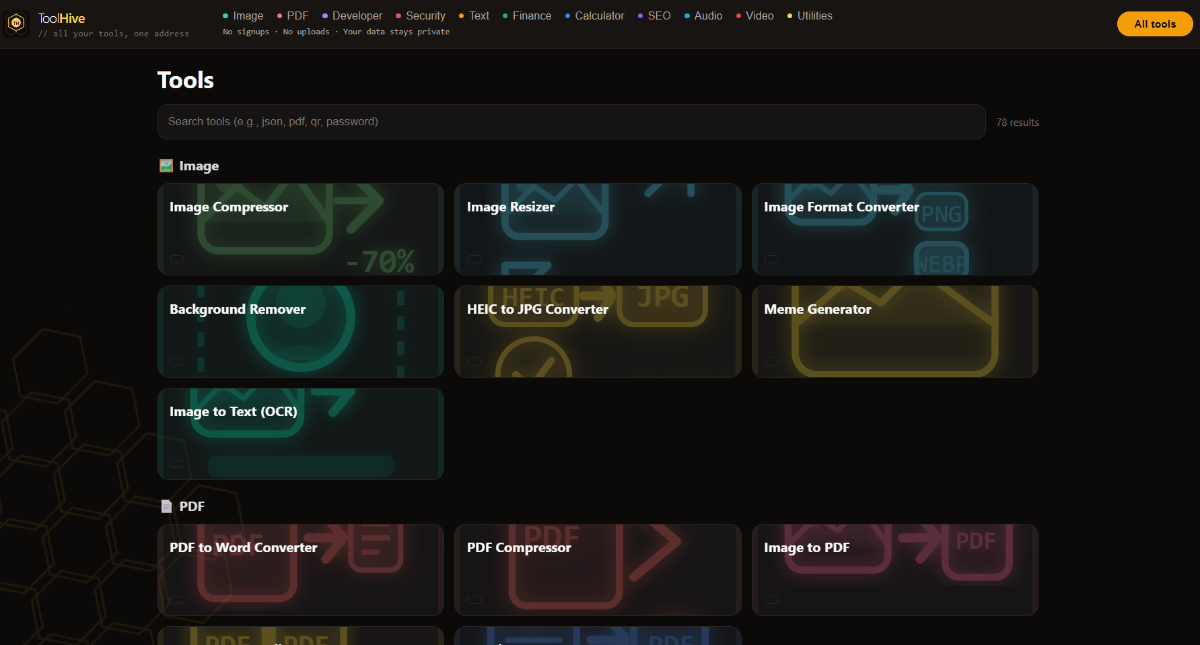
Here is a screenshot.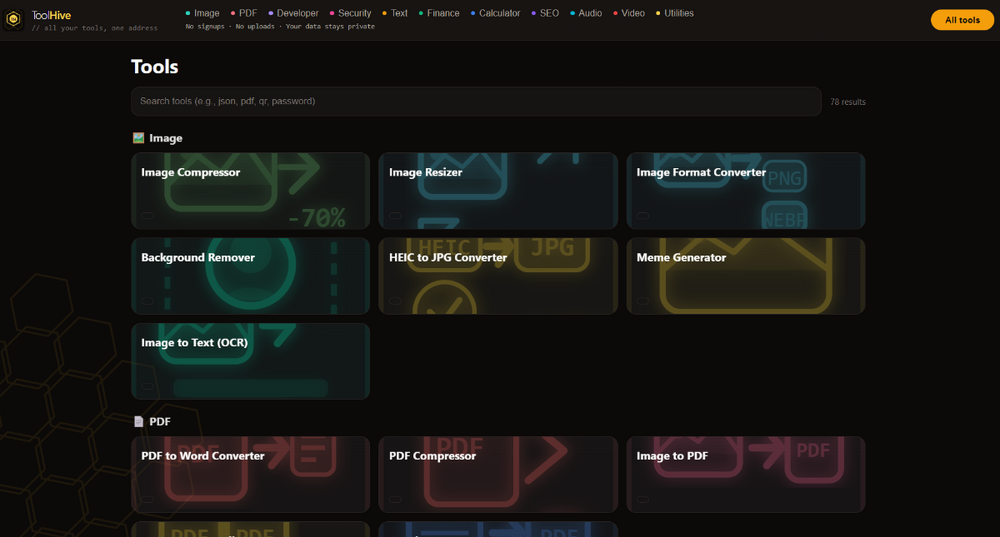
-
https://toolhive-poppabuzz.vercel.app/ *Full disclosure - I vibe coded this* There are 78 tools in this one page. All free. No signups. All done client-side so your data is safe. If you so decide, please test. Please let me know what works, what doesn't work. What tools do you actually use, and what tools would you use? I added the HelioHost's partner link for Namescheap in the footer. If that is not ok, please let me know and I will remove it.
-
 alifbabakan28 changed their profile photo
 - Last week
-
I've changed the main domain on your account for you. Please note that it may take up to 2 hours for the domain change to take effect, and it will not work until you set up your DNS with your domain registrar. To configure your DNS, please see the steps provided on our Wiki to either set NS records pointed at the HelioHost nameservers, or create A/AAAA records and point them to your server's IPv4/IPv6 address: https://wiki.helionet.org/Changing_Your_Main_Domain#Custom_Domains If after a full 2 hours it doesn't work on your side, please make sure you clear your web browser cache: https://wiki.helionet.org/Clear_Your_Cache Since there is a risk of data loss when main domains are changed, I made a full account backup for you before I made the changes, in case you need any files from the old domain. You can download the backup here: https://heliohost.org/backup If you're not sure how to extract the backup files, please follow our how-to guide here: https://wiki.helionet.org/Account_Backups
-
Please change the domain to ilimited.k.vu
-
Subdomain added, it will take effect in two hours. If you're not using HelioHost's nameservers, you'll need to create an A/AAAA record to Morty's IP address for the domain to work.
-
Can you please add the subdomain old.ech.lat thank you.
-

[Solved] Issue with Morty Plan Website Not Loading
Unknown025 replied to peeky's topic in Contact HelioNet
Glad you figured it out. -
ty
-
I’ve recently purchased the Morty plan under the username slwmplylwmorty and uploaded my Flask code, but the website isn’t loading. There are no errors during deployment, so I’m not sure what’s going wrong. I’ve double-checked everything on my end, but it still won’t display. Could you help me figure out what might be causing this?
-
Your Johnny accounts domain has been changed to peeky2.helioho.st and an invite has been sent to your email address to create the Morty account with a $6 balance. During the Morty account creation process you should be able to pick peeky.helioho.st again if you wish.