All Activity
- Past hour
-
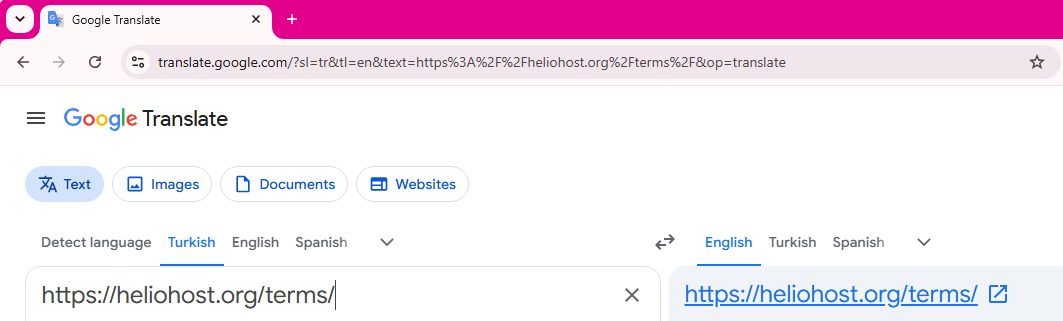
 If you encounter any other English text that you aren't able to understand, please be aware that Google translate (and similar services) can also translate entire websites. 🙂 All you need to do is drop in the website address of anything on our websites or in the Wiki that you do not understand. In this example, I used our Terms of Service from https://heliohost.org/terms/ The translator will provide a link that you can use. For example: https://heliohost-org.translate.goog/terms/?_x_tr_sl=en&_x_tr_tl=tr&_x_tr_hl=en-US&_x_tr_pto=wapp
-
Assuming you downloaded your backup from https://heliohost.org/backup, you can restore your account using these instructions: https://wiki.helionet.org/Account_Backups.
- Today
-
 But I use the Turkish language, and because it's in English, I couldn't fully understand it, just as you couldn't understand the Turkish language. Therefore, to avoid making the same mistake again, I request that you reactivate my account. Thank you.
 -
You were suspended for having more than 1 account. Your account with username metvmetv has been unsuspended. Please allow up to 2 full hours for it to reinstate completely. Please let us know how we can make the "one account per human being" rule more clear? The signup page mentions 1 account per person. Below the server choices on the signup page, users are shown a warning that says, "You may only have one account on Johnny or Tommy": As well, the very first line of the Terms of Service, which all users must agree to before creating an account, says: We even used big red bold font color so people could see it more easily. If you visited the signup page and the Terms of Service, and still were unaware of the rule, please let us know how we could make it more clear to new users? We are always happy to adjust our documentation so it is easier for people to understand and be aware of the rules. Thanks! Source: https://wiki.helionet.org/Suspension_Policy#Duplicate_Accounts
-
Could you please open your account? There seems to have been a mistake, I apologize, I didn't know. I won't make the same mistake again. Thank you again.
- Yesterday
-
https://wiki.helionet.org/FAQ#Why_must_all_posts_on_HelioNet_be_in_English? None of our staff speak this language so we would appreciate it if you could translate your support requests to English to help reduce the work load on our unpaid volunteers. The more time you can save us on small things like this all add up and allow us to add new features, and improve our service rather than wasting a lot of time trying to translate stuff. We recommend using a service such as: https://translate.google.com/
-
hesabımı açabilirmisiniz lütfen Translation: Can you please open my account?
-
[Solved] Solicitud de adición de nuevo dominio
KazVee replied to programasherrera's topic in Customer Service
I've added that domain to your account for you. Please note that it may take up to 2 hours for the domain change to take effect. If after a full 2 hours it doesn't work on your side, please make sure you clear your web browser cache: https://wiki.helionet.org/Clear_Your_Cache -

[Solved] Solicitud de adición de nuevo dominio
programasherrera replied to programasherrera's topic in Customer Service
Hello, good afternoon. Best regards. Regarding this request: now that the domain https://iglesiascristianainternacionalaposentoalto.helioho.st/ has been restored following its period of inactivity, I would like to request a new account with the same domain—programasherrera.helioho.st—since that one was also deleted. Thank you. -
Hola buenas tardes Ya puedo ingresar pero aparece desde cero todo se borro, descargue una copia de seguridad pero la verdad no tengo el conocimiento para restablecer desde hay mi pagina hay alguna parte donde pueda ver un tutorial o un paso a paso para realizar esto, o ya me toca empezar desde cero. Agradezco por tu respuesta
-
 praniis joined the community
 -
 iscufedu joined the community
 -

[Solved] Unable to Set Node.js Document Root
wolstech replied to amaljunior002's topic in Customer Service
Users don't have the ability to change document roots on our systems by design, because it tends to cause weird issues (especially when users later delete the folder they set the document root to). I went ahead and changed it for you. The changes can take up to 2 hours to take effect. Keep in mind that if you later remove Node from your domain (or you get suspended, which removes Node automatically), your domain may not work properly until you contact support to have the document root changed back. -
Hello, I'm encountering an issue configuring my Node.js application in Plesk on HelioHost. Current configuration Server: Johnny Application Root: /nodeapp Document Root: /httpdocs (current) Startup File: app.js Directory structure / ├── httpdocs/ └── nodeapp/ ├── app.js ├── package.json └── public/ The public directory exists inside the application root and has standard permissions (755). Issue I'm trying to change the Document Root from: /httpdocs to: /nodeapp/public Plesk allows me to browse to and select the public directory, but when I click OK or Save, it fails with the following error: Unable to change document root: Permission denied. Additional observations If I set the Application Root to /, the configuration is accepted and /httpdocs remains the document root. If I set the Application Root to /nodeapp, Plesk recognizes the application correctly (it detects app.js and package.json), but changing the document root to /nodeapp/public always results in the "Permission denied" error. The public directory is a normal directory (not a symbolic link) and is visible in Plesk's File Manager. The application files are owned by my hosting account, and the directory permissions appear to be correct. This appears to be a server-side Plesk or virtual host configuration issue rather than a filesystem permission issue. Could someone please check whether there is a restriction or configuration problem preventing my account from setting the document root to a subdirectory of the application root? Thank you.
-
DNS record added.
-
This support request is being escalated to our root admins.
-
Hello. I would like to submit a request to have the following DNS record added to my domain, ryofist.dev: Type: TXT Host: _dmarc.ryofist.dev Value: v=DMARC1; p=reject My HelioHost username is RyoFist.
- Last week
-
DNS records set.
-
Alias added. Please be sure to configure DNS. The alias can take up to 2 hours to function.
-
Your domain has been converted to an alias. The alias can take up to 2 hours to function.
-
An administrator will be able to do this for you.
-

[Solved] The option to log out of the Heliohost Dashboard
kitty replied to kitty's topic in Escalated Requests
I was able to log out of the Dashboard. Excellent work. Thanks! -
I've added the .com domain to your account for you. Please note that it may take up to 2 hours for the domain change to take effect, and it will not work until you set up your DNS with your domain registrar. To configure your DNS, please see the steps provided on our Wiki to either set NS records pointed at the HelioHost nameservers, or create A/AAAA records and point them to your server's IPv4/IPv6 address: https://wiki.helionet.org/Addon_Domains#Custom_Addon_Domains If after a full 2 hours it doesn't work on your side, please make sure you clear your web browser cache: https://wiki.helionet.org/Clear_Your_Cache If you can't access any of the Wiki pages, please let us know what IP address was shown on the error page. If you no longer need the marchasdecristo.jaguerra27.helioho.st domain, please let us know if you want it removed. You're allowed to have up to 15 domains on your Morty account (and allowed to get more than 1 Morty account if you need more domains), so it's no problem to keep it for now and decide later on. 🙂
-
I'm sorry if I made this confusing. I've purchased the domain marchasdecristo.com months ago. As I understand, I need to add a new subdomain in my hosting account so that you can link it to my domain. So I definitely want to add my .com domain to my account. Thank you very much.
-
This support request is being escalated to our root admins.
-

Morty Billing Query - Moodle 5.1 and 5.0 MARIADB version error
Krydos replied to costacja's topic in Escalated Requests
The August estimate was based on your current load average over the previous 30 days which at the time was about $1.00 per month. If you start having overages you get billed more per day. On 2026-05-02 you added a bunch of cronjobs that ran really frequently and were causing you to have overages every day. +----------+--------+ | username | bill | +----------+--------+ | costacja | 0.4386 | | costacja | 0.3904 | | costacja | 0.3625 | | costacja | 0.3495 | | costacja | 0.3243 | | costacja | 0.3127 | | costacja | 0.3113 | | costacja | 0.3060 | | costacja | 0.3051 | | costacja | 0.3242 | | costacja | 0.3387 | | costacja | 0.3272 | | costacja | 0.3485 | | costacja | 0.3823 | | costacja | 0.2885 | +----------+--------+ You can move back to Morty if you want at https://heliohost.org/dashboard/move/ -
Hello. I would like to make a request to have the following DNS records added for my domain, ryofist.dev: TXT: Type TXT Host @ Value apple-domain=RvomyYYeuqO6HJEe SPF: Type TXT Host @ Value "v=spf1 include:icloud.com ~all" MX: Type MX Host @ Priority 10 Value mx01.mail.icloud.com. MX: Type MX Host @ Priority 10 Value mx02.mail.icloud.com. DKIM: Type CNAME Host sig1._domainkey Value sig1.dkim.ryofist.dev.at.icloudmailadmin.com. This is for the purpose of connecting my custom domain to iCloud Mail. Their webpage also provides the following troubleshooting information, should using it become necessary: If your registrar doesn't support "@", enter your domain name as the host. Make sure to include the period at the end of the MX and DKIM values. Start by including the period at the end of the MX and DKIM values and quotes in the SPF TXT record. If it fails, try entering the values without the quotes or without the ending punctuation. TTL should be set to 3600 seconds or 1 hour. My HelioHost username is RyoFist.