PoppaBuzz
-
Posts
32 -
Joined
-
Last visited
-
Days Won
1
Everything posted by PoppaBuzz
-

ToolHive - Multiple tools, one spot
PoppaBuzz replied to PoppaBuzz's topic in Technology and the Internet
Here is a screenshot.
-
https://toolhive-poppabuzz.vercel.app/ *Full disclosure - I vibe coded this* There are 78 tools in this one page. All free. No signups. All done client-side so your data is safe. If you so decide, please test. Please let me know what works, what doesn't work. What tools do you actually use, and what tools would you use? I added the HelioHost's partner link for Namescheap in the footer. If that is not ok, please let me know and I will remove it.
-
Sounds like you need your own VSP if you need shell access: https://wiki.helionet.org/FAQ#Can_I_use_SSH? Here is what Perplexity said about your situation: Short answer: no, not in the way you’re hoping. Gunicorn is a long-running WSGI server process, and Flask’s docs describe it as something you run as a production server instead of the built-in development server. If HelioHost gives you no shell and no way to start a persistent process, you usually can’t launch Gunicorn yourself from shared hosting alone. What “pure Python” can do Gunicorn does have a Python entry point, so technically you can start it from Python code with something like from gunicorn.app.wsgiapp import run and then calling run() after setting sys.argv. That still does not remove the core requirement: something must execute that Python file and keep the server process alive. So “pure Python” is only a different launch mechanism, not a replacement for shell/process management. Why this is a hosting problem Flask’s deployment docs distinguish between the application and the WSGI server, and Gunicorn’s own docs show it as a server you install and run as a process. HelioHost’s Python docs emphasize CGI as the easy shared-hosting path, which is a very different execution model from Gunicorn’s always-on worker model. In other words, if your account can only run scripts on demand, Gunicorn is the wrong fit unless HelioHost exposes a WSGI startup hook or some equivalent service manager. Practical options Use HelioHost’s supported Python method, which appears to be CGI for shared hosting. If HelioHost provides a WSGI interface or app startup configuration, point it at your Flask app rather than trying to type gunicorn main:app yourself. Move the app to an environment where you control process startup, such as a VPS, container host, or a platform that supports a process command. Direct answer to your question You can write a small Python launcher for Gunicorn, but that only helps if HelioHost lets you execute that launcher as the service entrypoint. Without shell access or some admin-defined startup command, you generally cannot use Gunicorn on shared hosting in the normal way.
-
[Solved] upload_max_filesize Increase Request
PoppaBuzz replied to PoppaBuzz's topic in Escalated Requests
Thanks. You guys are awesome! -
I have a service that upscales pdfs to images with the option to download or upload. My highest upscale (8x) makes the image just above 2mb making my upload fail. I am requesting to increase this to 4mb if possible. I am on Tommy, Username is Poppabuzz, PHP version is 8.5.3.
-
[Solved] Add Domain and add MX, SPF Records
PoppaBuzz replied to PoppaBuzz's topic in Escalated Requests
Thank you! -
Hello. I am on the Tommy Server. My username is poppabuzz. I want to add the domain jphat.net. Please add these MX Records Domain: jphat.net, MX Record: mx1.improvmx.com., Priority: 10 Domain: jphat.net, MX Record: mx2.improvmx.com., Priority: 20 I also want to add the SPF Record Domain: jphat.net, SPF Record: v=spf1 include:spf.improvmx.com ~all Thank you and I appreciate what you all do.
-
I still don't know what happened, and still can't get it to work. I upgraded to Tommy, thinking that might have helped change things. Still doesn't work. Please close this thread. I will probably move my domain to HelioHost anyway now.
-
pb.helioho.st please
-
is it possible to shorten my subdomain to pb instead of poppabuzz without resetting my account?
-
Nope. It's everywhere. I have ran this at home, at work, on my phone's mobile network. It just doesn't want to connect.
-
Port test successful! Your IP: 66.85.85.6
-
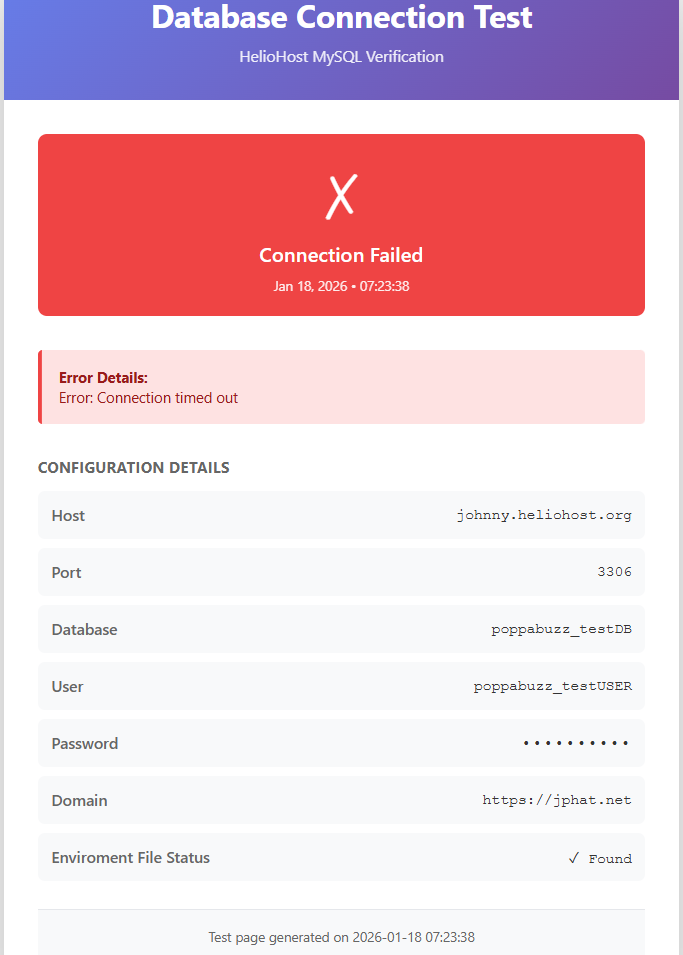
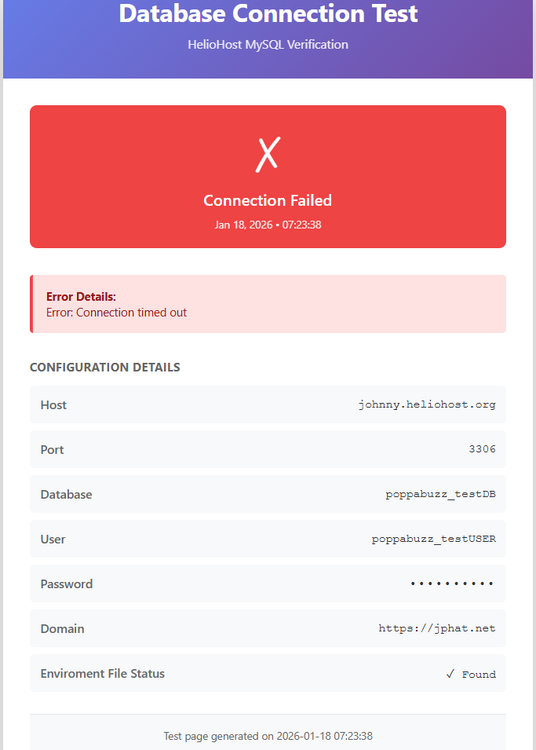
Error Details: Error: Connection timed out I also set the time to timeout to longer and it still times out.
-
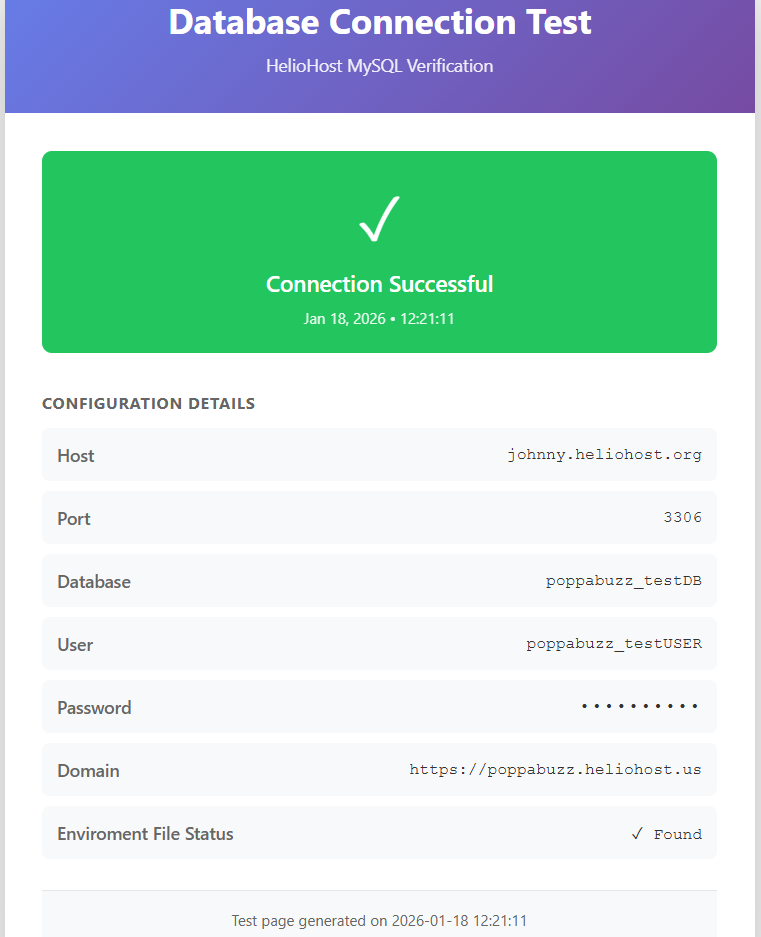
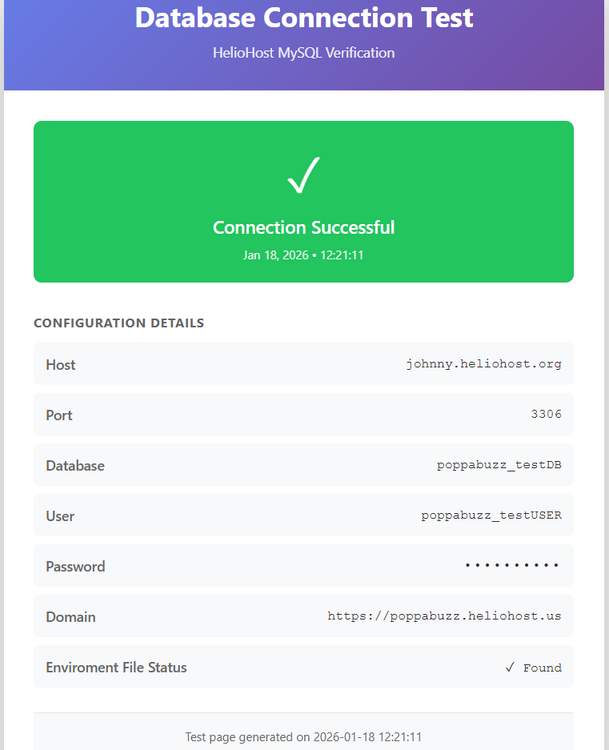
It works on the HelioHosted file, but still fails on the other ones.
-
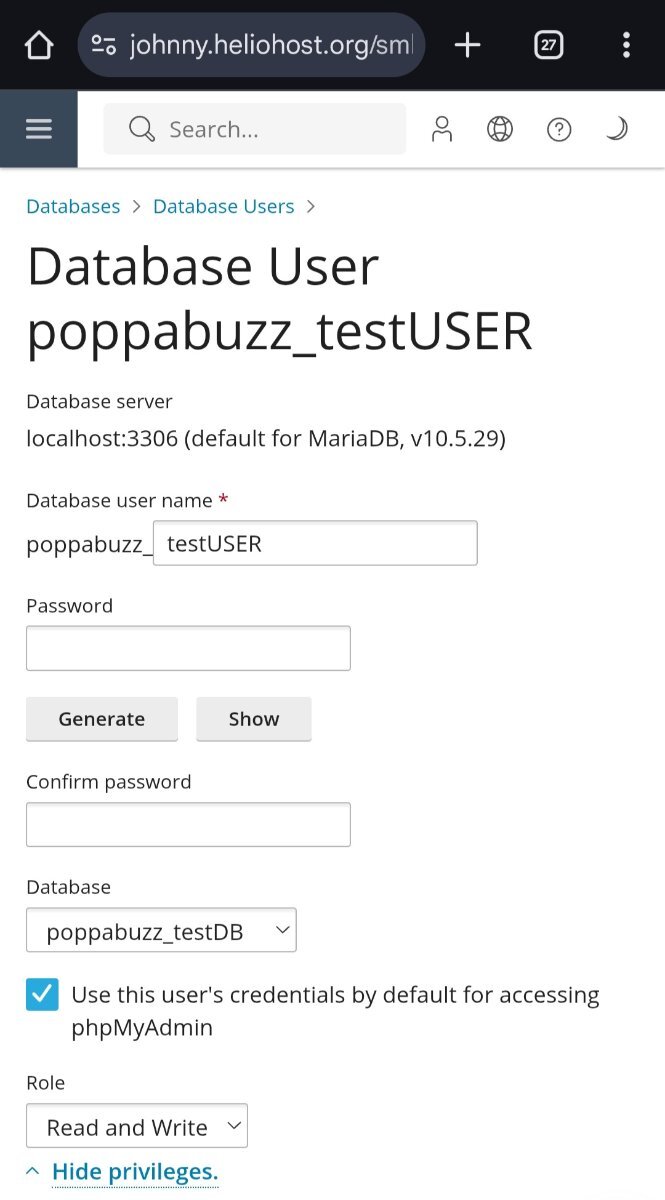
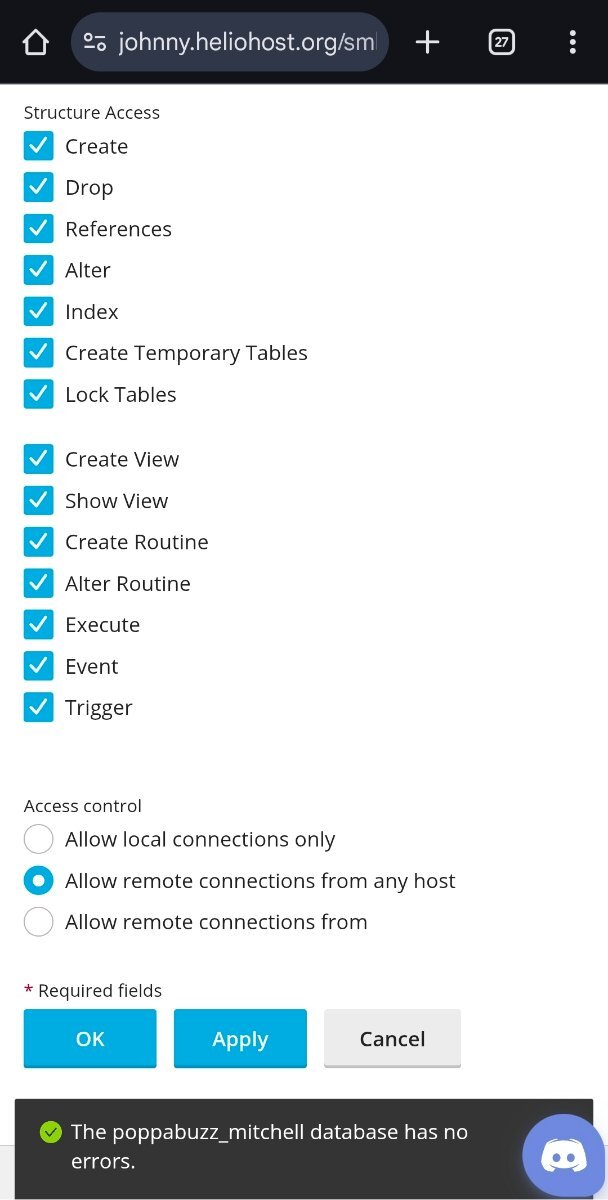
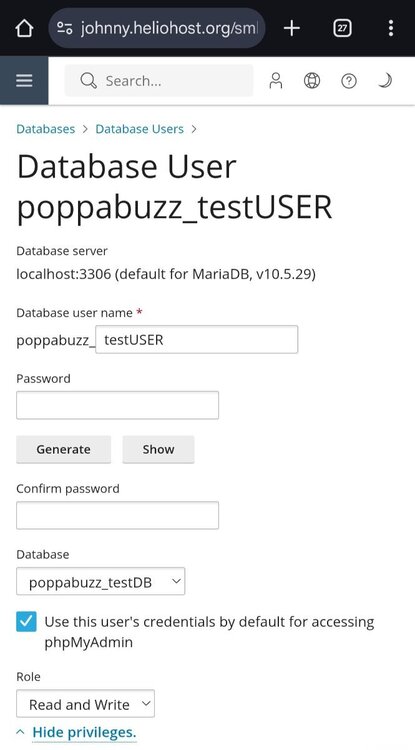
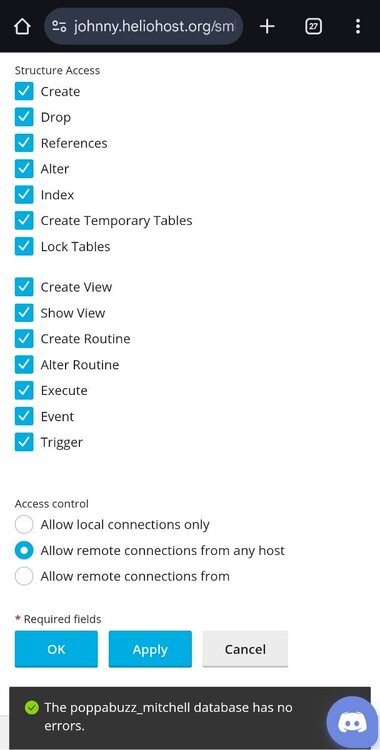
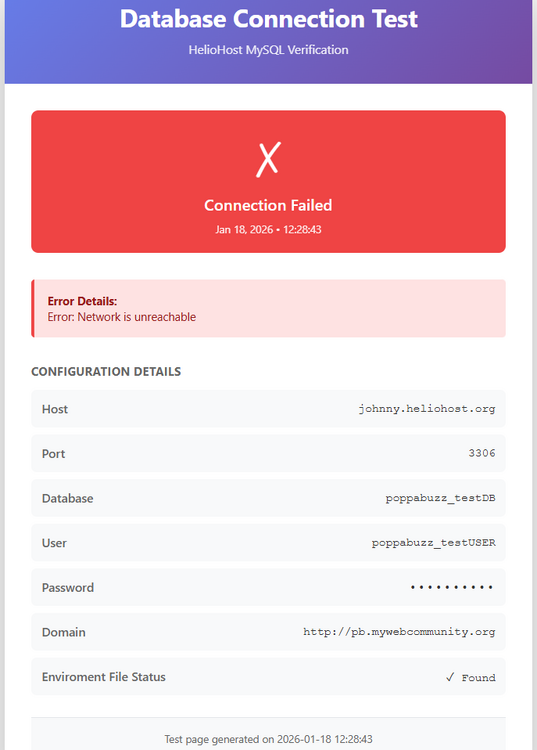
Here are screenshots of the settings.
-
This is the one I really care about: 104.21.50.86. This is the one I created just for testing purposes: 185.176.43.110.
-
Exact same .env file, exact same .php file. 3 different domains.
-
Yes I am.
-
DB_HOST = "johnny.heliohost.org" DB_PORT="3306"
-
I'm not sure if it's just me, but I'm having trouble with remote database connections to my MariaDB. I have set my Access control to "Allow remote connections from any host." I am able to connect to my database from my HelioHost pages, but not from my externally hosted pages. I can provide any necessary details upon request, just don't want to post anything too private that people could misuse.
-
I have a high load suspension. Not sure what is taking up so much load. If anyone can tell me, I would be glad to disable it to get my account back. Thank you. Account: poppabuzz Server: johnny
-
Just read this article and thought you guys might be interested. https://www.anthropic.com/news/claude-for-nonprofits
-
https://wiki.helionet.org/504_Gateway_Timeout Please take some time to read the Wiki. Speaking from experience, it helps a lot.
-
If it's not the official font, it should be. I thought it was Mahameru at first, but the t in Host wasn't right. Then I thought it was Wind Doomsday, but that wasn't quite right either.
-
Just out of curiosity, what is the font used in the HelioHost logo? There are a few similar that I've seen, but none are an exact match.