
PoppaBuzz
-
Posts
38 -
Joined
-
Last visited
-
Days Won
1
Everything posted by PoppaBuzz
-
Done. Please don't move my account back until the end of the day. Thank you.

-
Completely understood.
-
I don't actually do those. That is just a placeholder. I work for a pizza place. I will take that down if it is the issue.
-
It is not public facing. It is just the notifications for the orders. Only the managers see it.
-
I got moved to Morty2 because my account was flagged for being a commercial business. I have no commercial websites hosted. I have several projects that I am working on, all free and open-source, no commerce involved. One of my projects is for my job. The new online ordering system that we use sends us an email notification, whereas the old system sent us a text. The system we use is not available to anyone except the owner. On my own, I developed a system that will send us a text when we get that email. The text includes name, amount, order pickup time, and a link to see what was on that order. The database of the orders and the contents of the orders are hosted on my site, but it is not affiliated with my job in any way, shape, or form. Please let me know if you need any more details.
-

[Krydos] Having some issues I can't track
PoppaBuzz replied to chrisohps's topic in Escalated Requests
I was moved to Morty2 as well. Does that mean that I got flagged as well? -
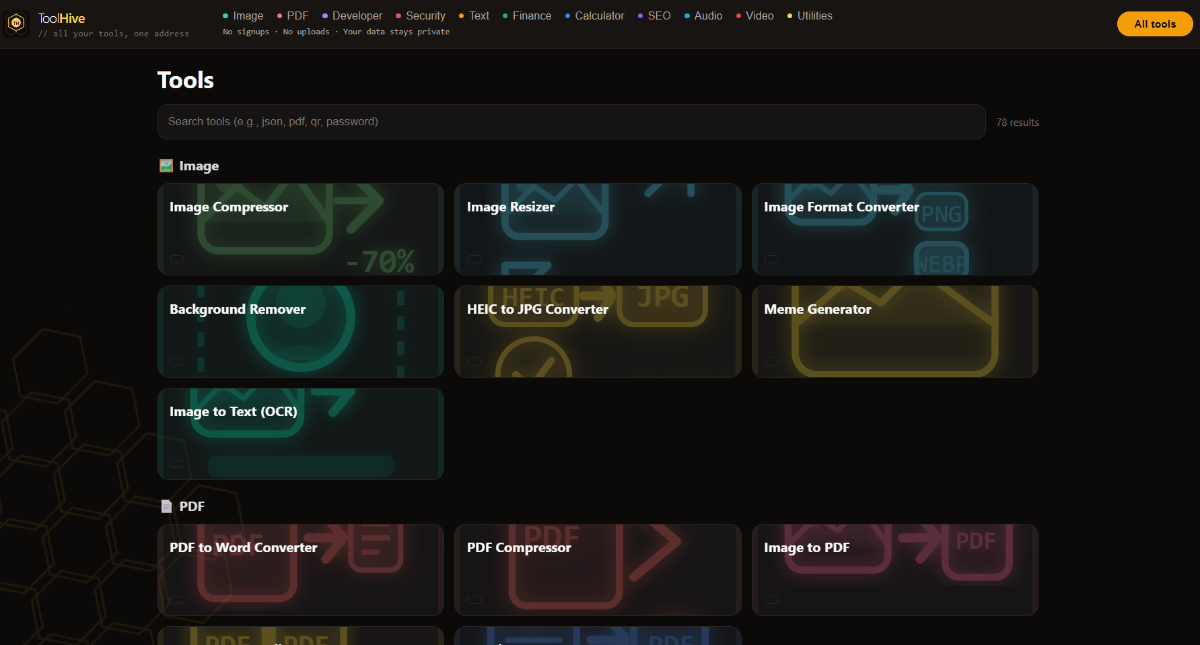
ToolHive - Multiple tools, one spot
PoppaBuzz replied to PoppaBuzz's topic in Technology and the Internet
Here is a screenshot.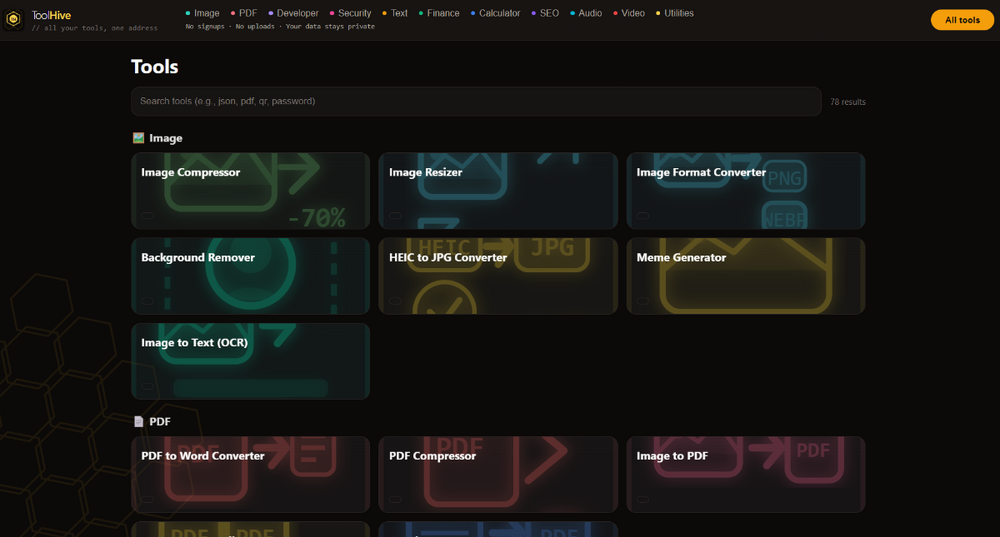
-
https://toolhive-poppabuzz.vercel.app/ *Full disclosure - I vibe coded this* There are 78 tools in this one page. All free. No signups. All done client-side so your data is safe. If you so decide, please test. Please let me know what works, what doesn't work. What tools do you actually use, and what tools would you use? I added the HelioHost's partner link for Namescheap in the footer. If that is not ok, please let me know and I will remove it.
-
Sounds like you need your own VSP if you need shell access: https://wiki.helionet.org/FAQ#Can_I_use_SSH? Here is what Perplexity said about your situation: Short answer: no, not in the way you’re hoping. Gunicorn is a long-running WSGI server process, and Flask’s docs describe it as something you run as a production server instead of the built-in development server. If HelioHost gives you no shell and no way to start a persistent process, you usually can’t launch Gunicorn yourself from shared hosting alone. What “pure Python” can do Gunicorn does have a Python entry point, so technically you can start it from Python code with something like from gunicorn.app.wsgiapp import run and then calling run() after setting sys.argv. That still does not remove the core requirement: something must execute that Python file and keep the server process alive. So “pure Python” is only a different launch mechanism, not a replacement for shell/process management. Why this is a hosting problem Flask’s deployment docs distinguish between the application and the WSGI server, and Gunicorn’s own docs show it as a server you install and run as a process. HelioHost’s Python docs emphasize CGI as the easy shared-hosting path, which is a very different execution model from Gunicorn’s always-on worker model. In other words, if your account can only run scripts on demand, Gunicorn is the wrong fit unless HelioHost exposes a WSGI startup hook or some equivalent service manager. Practical options Use HelioHost’s supported Python method, which appears to be CGI for shared hosting. If HelioHost provides a WSGI interface or app startup configuration, point it at your Flask app rather than trying to type gunicorn main:app yourself. Move the app to an environment where you control process startup, such as a VPS, container host, or a platform that supports a process command. Direct answer to your question You can write a small Python launcher for Gunicorn, but that only helps if HelioHost lets you execute that launcher as the service entrypoint. Without shell access or some admin-defined startup command, you generally cannot use Gunicorn on shared hosting in the normal way.
-
[Solved] upload_max_filesize Increase Request
PoppaBuzz replied to PoppaBuzz's topic in Escalated Requests
Thanks. You guys are awesome! -
I have a service that upscales pdfs to images with the option to download or upload. My highest upscale (8x) makes the image just above 2mb making my upload fail. I am requesting to increase this to 4mb if possible. I am on Tommy, Username is Poppabuzz, PHP version is 8.5.3.
-
[Solved] Add Domain and add MX, SPF Records
PoppaBuzz replied to PoppaBuzz's topic in Escalated Requests
Thank you! -
Hello. I am on the Tommy Server. My username is poppabuzz. I want to add the domain jphat.net. Please add these MX Records Domain: jphat.net, MX Record: mx1.improvmx.com., Priority: 10 Domain: jphat.net, MX Record: mx2.improvmx.com., Priority: 20 I also want to add the SPF Record Domain: jphat.net, SPF Record: v=spf1 include:spf.improvmx.com ~all Thank you and I appreciate what you all do.
-
I still don't know what happened, and still can't get it to work. I upgraded to Tommy, thinking that might have helped change things. Still doesn't work. Please close this thread. I will probably move my domain to HelioHost anyway now.
-
pb.helioho.st please
-
is it possible to shorten my subdomain to pb instead of poppabuzz without resetting my account?
-
Nope. It's everywhere. I have ran this at home, at work, on my phone's mobile network. It just doesn't want to connect.
-
Port test successful! Your IP: 66.85.85.6
-
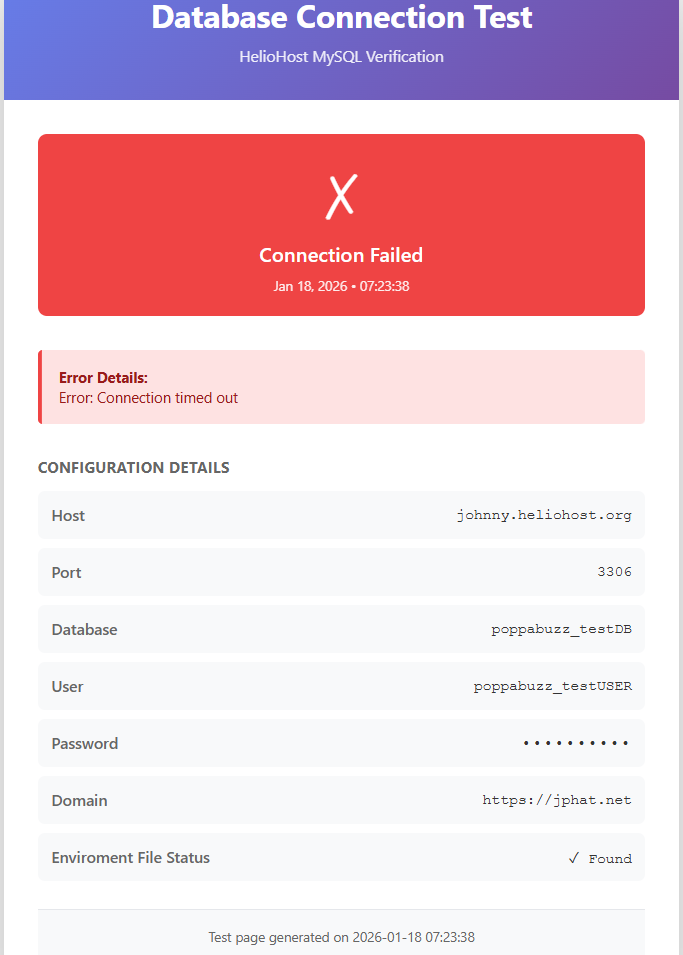
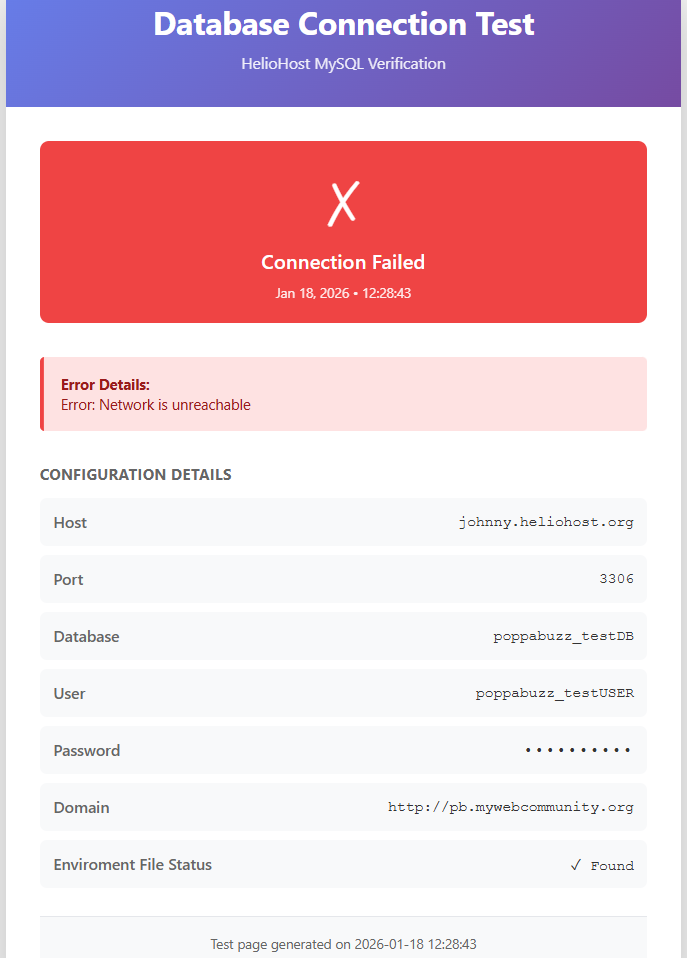
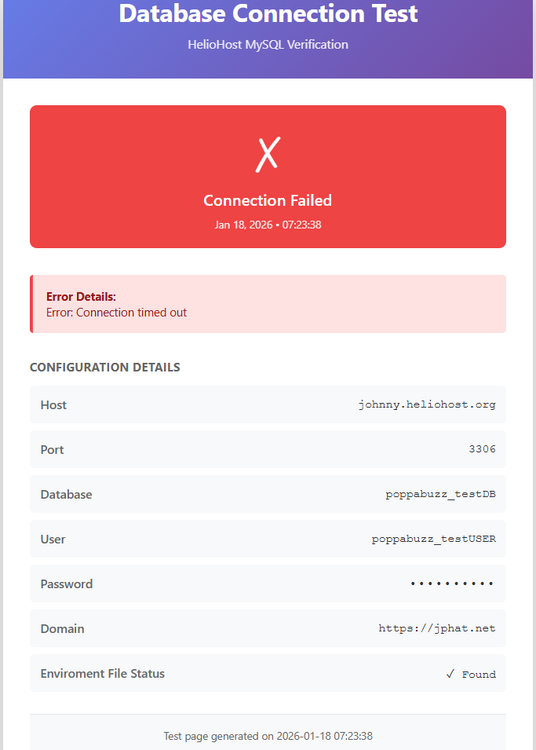
Error Details: Error: Connection timed out I also set the time to timeout to longer and it still times out.
-
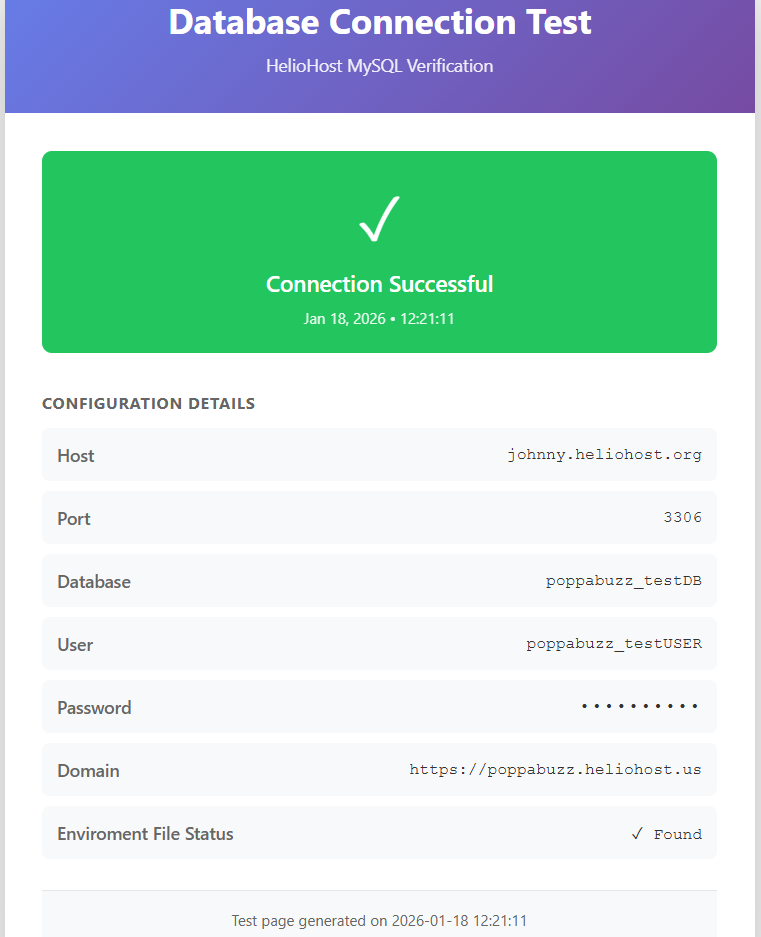
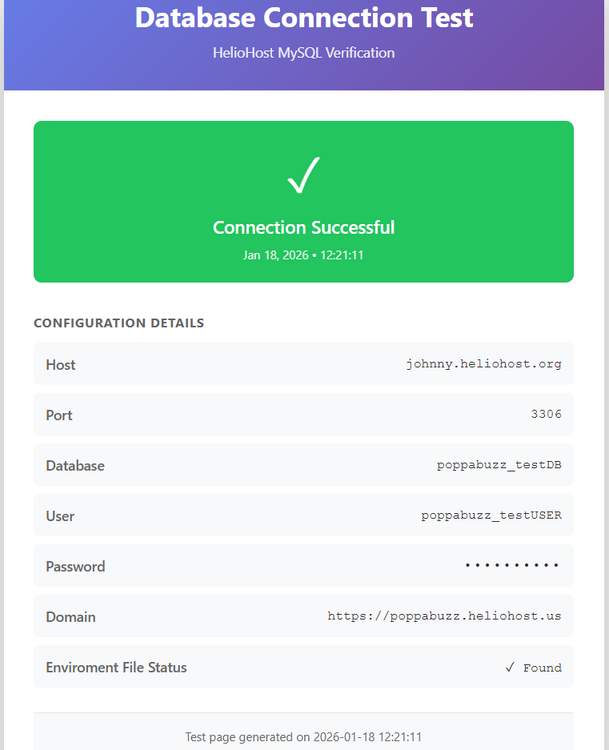
It works on the HelioHosted file, but still fails on the other ones.
-
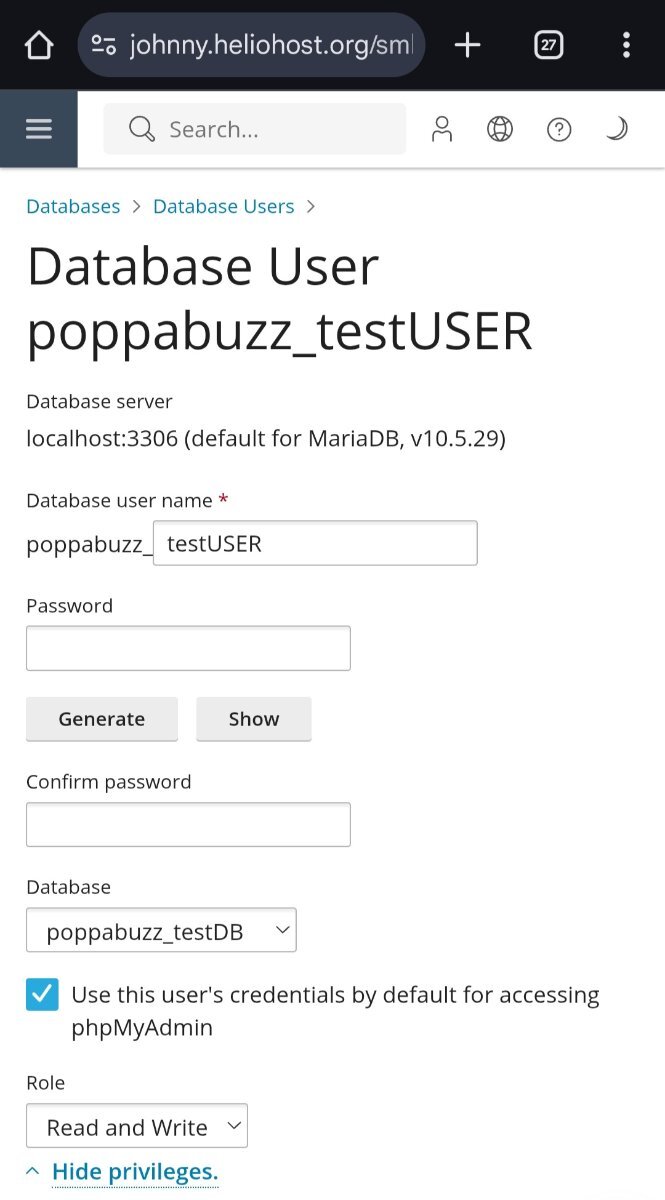
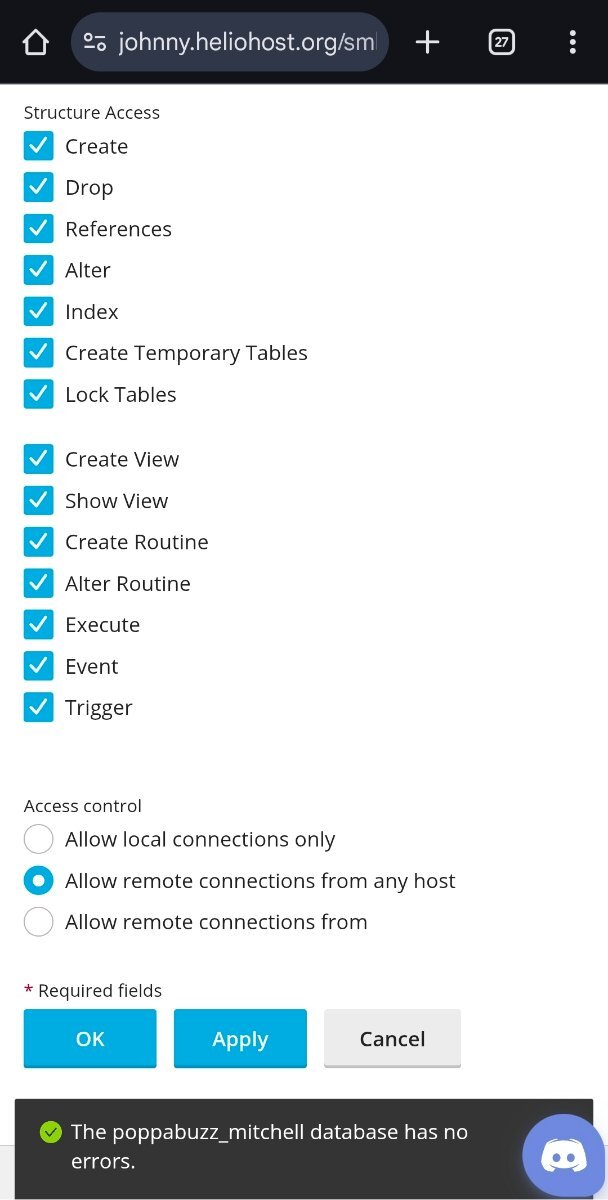
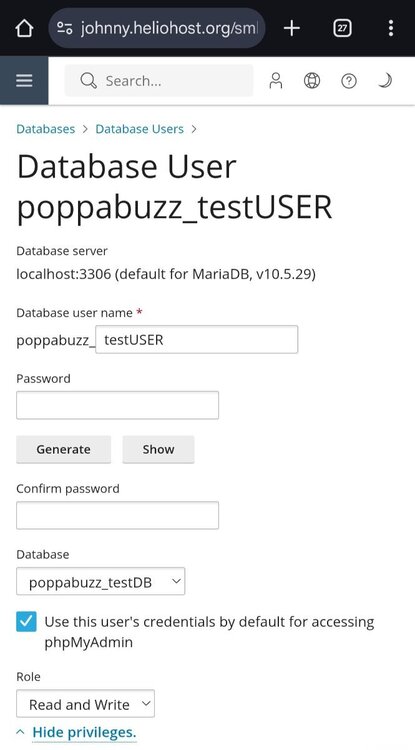
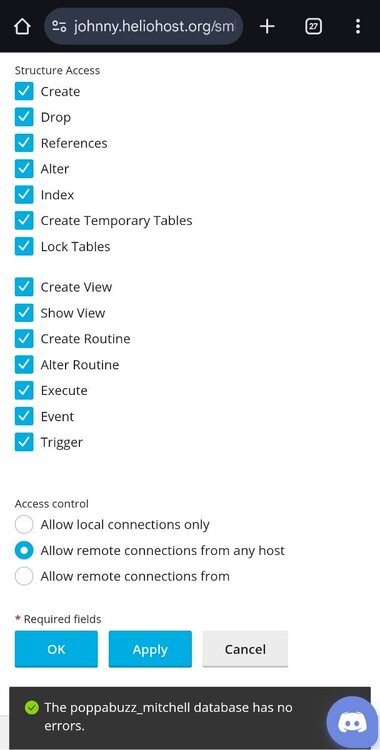
Here are screenshots of the settings.
-
This is the one I really care about: 104.21.50.86. This is the one I created just for testing purposes: 185.176.43.110.
-
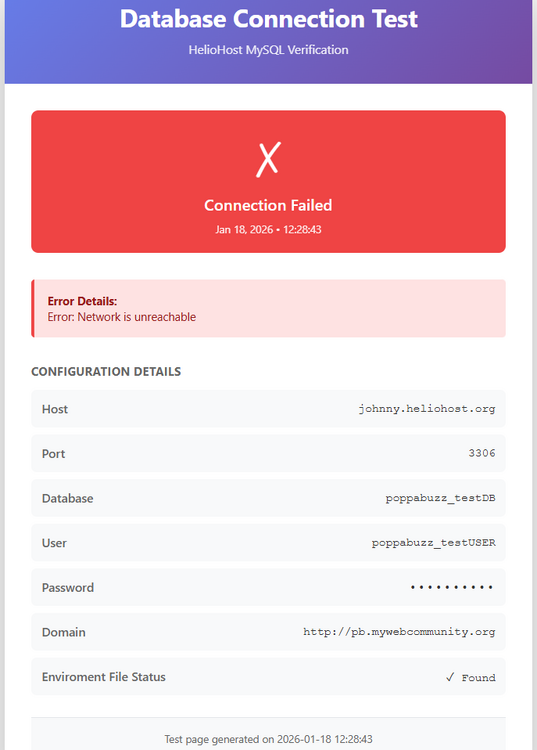
Exact same .env file, exact same .php file. 3 different domains.
-
Yes I am.
-
DB_HOST = "johnny.heliohost.org" DB_PORT="3306"