Search the Community
Showing results for tags 'email client'.
Found 4 results
-
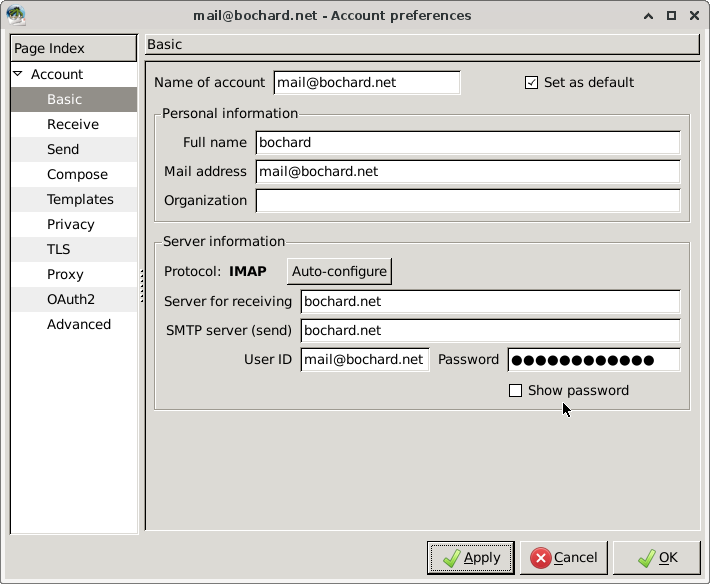
Hi there, I recently installed FreeBSD on my computer and installed Claws Mail as the email client, however, I find it difficult to configure my email on Heliohost. It always throw me an error when attempt to log in my email account. This is my configurement: The error log: * Account 'mail@bochard.net': Connecting to IMAP server: bochard.net:143... [2025-08-25 18:16:18] IMAP< * OK [CAPABILITY IMAP4rev1 SASL-IR LOGIN-REFERRALS ID ENABLE IDLE LITERAL+ STARTTLS AUTH=PLAIN AUTH=LOGIN AUTH=DIGEST-MD5 AUTH=CRAM-MD5] Dovecot ready. * IMAP connection is un-authenticated [2025-08-25 18:16:18] IMAP> 1 CAPABILITY [2025-08-25 18:16:18] IMAP< * CAPABILITY IMAP4rev1 SASL-IR LOGIN-REFERRALS ID ENABLE IDLE LITERAL+ STARTTLS AUTH=PLAIN AUTH=LOGIN AUTH=DIGEST-MD5 AUTH=CRAM-MD5 [2025-08-25 18:16:18] IMAP< 1 OK Pre-login capabilities listed, post-login capabilities have more. [2025-08-25 18:16:18] IMAP> Logging mail@bochard.net to bochard.net using CRAM-MD5 [2025-08-25 18:16:22] IMAP< Authentication failed. ** IMAP error on bochard.net: LOGIN error [2025-08-25 18:16:22] IMAP< Error logging in to bochard.net [2025-08-25 18:16:22] IMAP> Logging mail@bochard.net to bochard.net using DIGEST-MD5 [2025-08-25 18:16:22] IMAP< Authentication failed. ** IMAP error on bochard.net: LOGIN error [2025-08-25 18:16:22] IMAP< Error logging in to bochard.net [2025-08-25 18:16:22] IMAP> Logging mail@bochard.net to bochard.net using PLAIN [2025-08-25 18:16:31] IMAP< Authentication failed. ** IMAP error on bochard.net: LOGIN error [2025-08-25 18:16:31] IMAP< Error logging in to bochard.net [2025-08-25 18:16:31] IMAP> Logging mail@bochard.net to bochard.net using LOGIN [2025-08-25 18:16:47] IMAP< Authentication failed. ** IMAP error on bochard.net: LOGIN error [2025-08-25 18:16:47] IMAP< Error logging in to bochard.net [2025-08-25 18:16:47] IMAP> Logging mail@bochard.net to bochard.net using plaintext [2025-08-25 18:16:50] IMAP< Authentication failed. ** IMAP error on bochard.net: LOGIN error [2025-08-25 18:16:50] IMAP< Error logging in to bochard.net [2025-08-25 18:17:00] IMAP> 6 LOGOUT [2025-08-25 18:17:01] IMAP< * BYE Logging out [2025-08-25 18:17:01] IMAP< 6 OK Logout completed. Huge thank you in advance!!
-
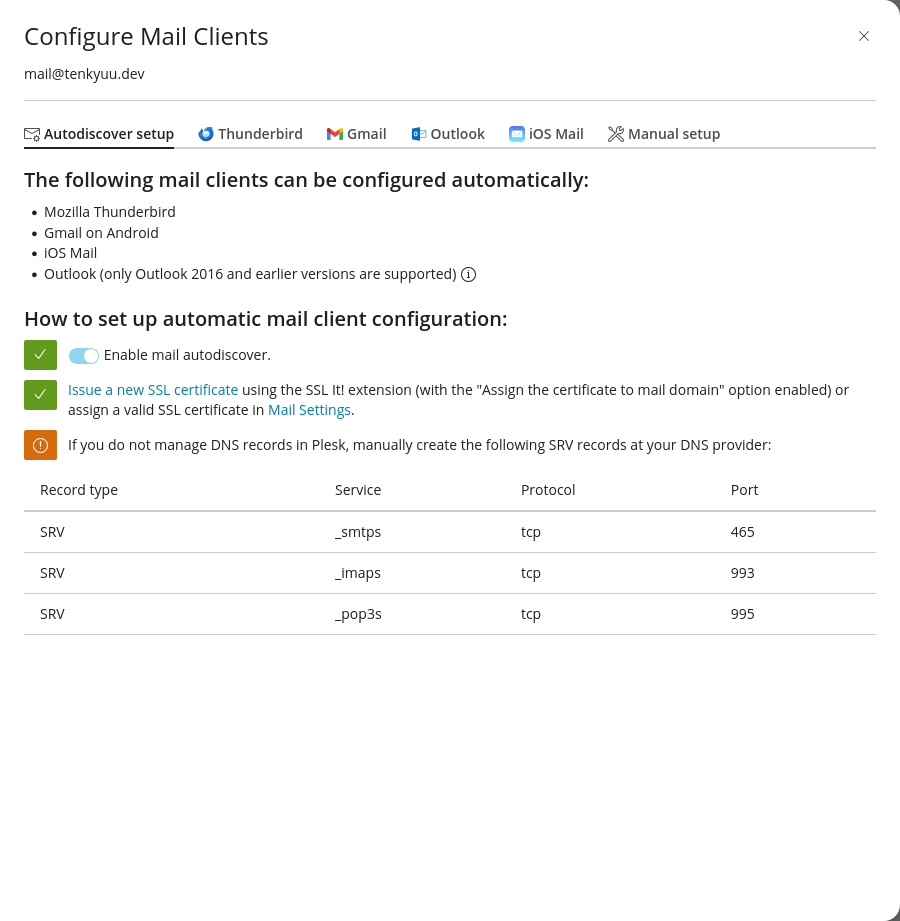
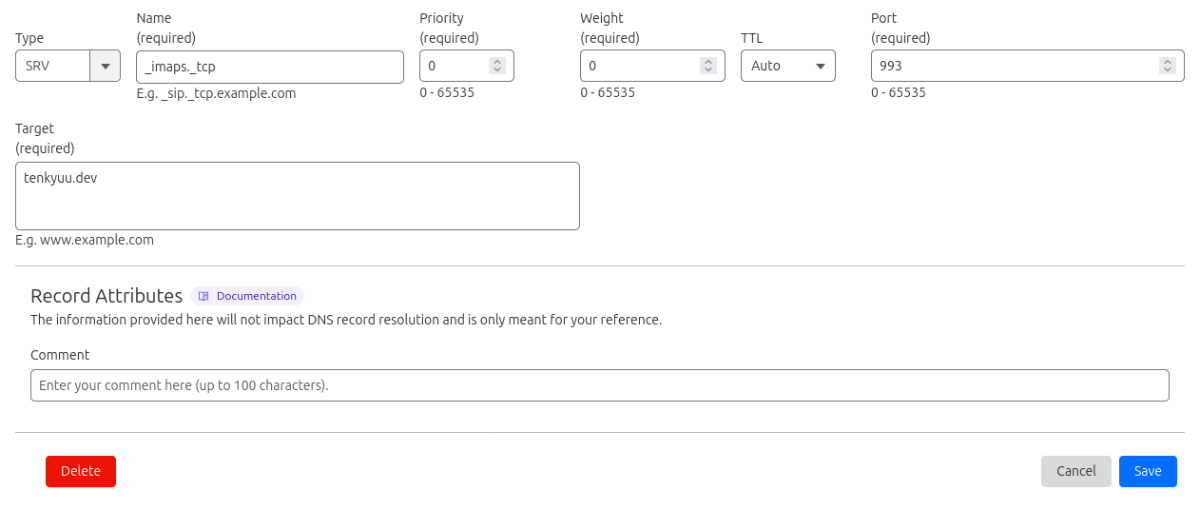
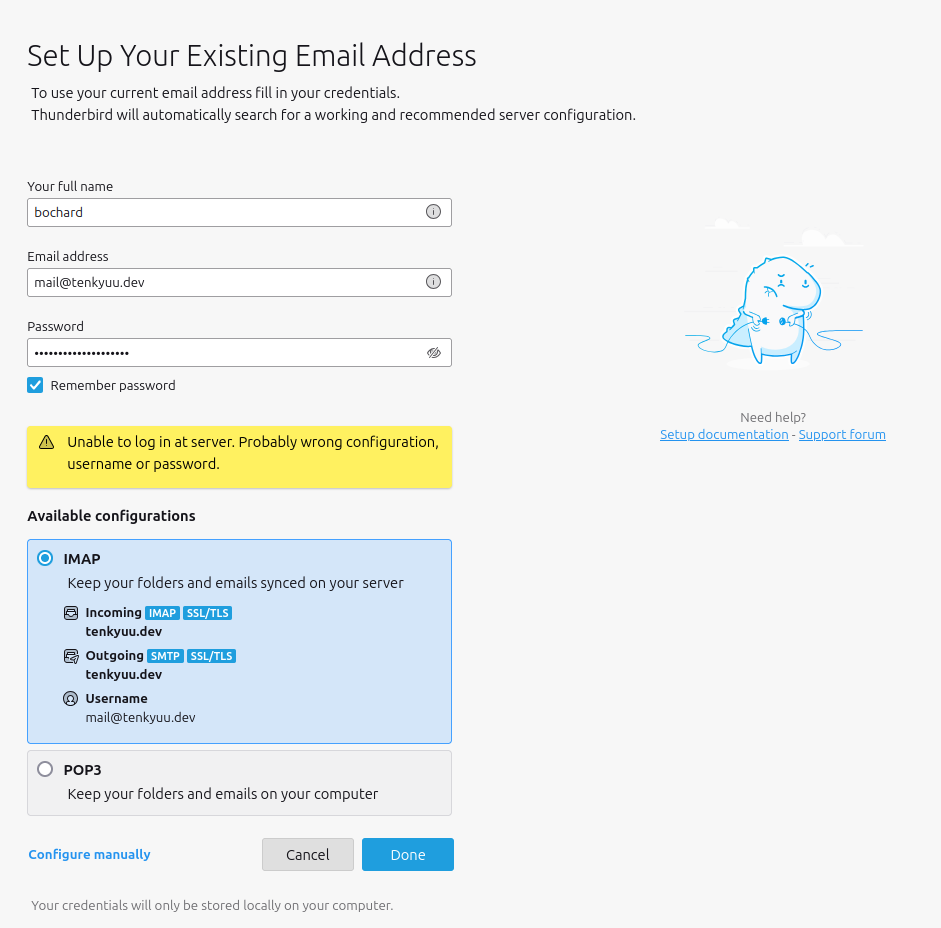
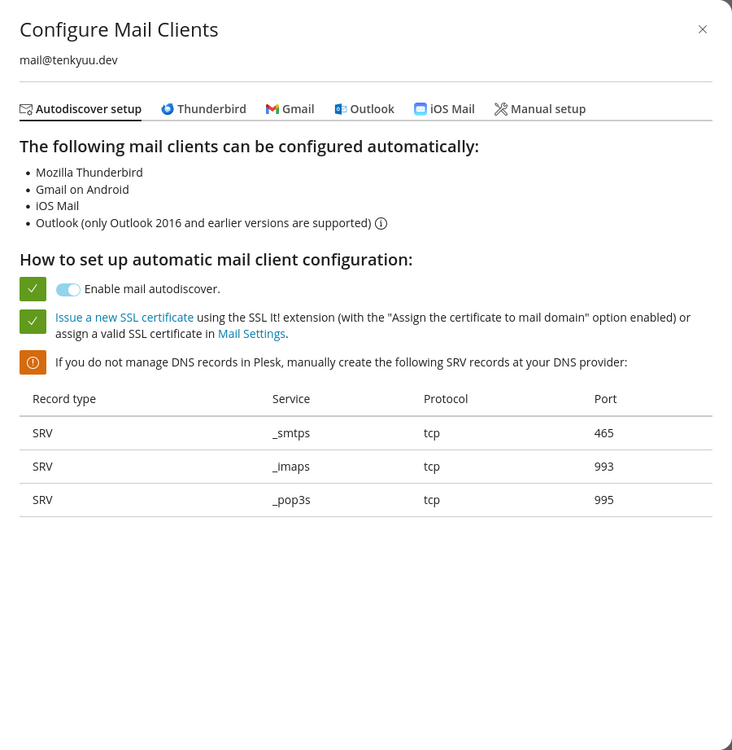
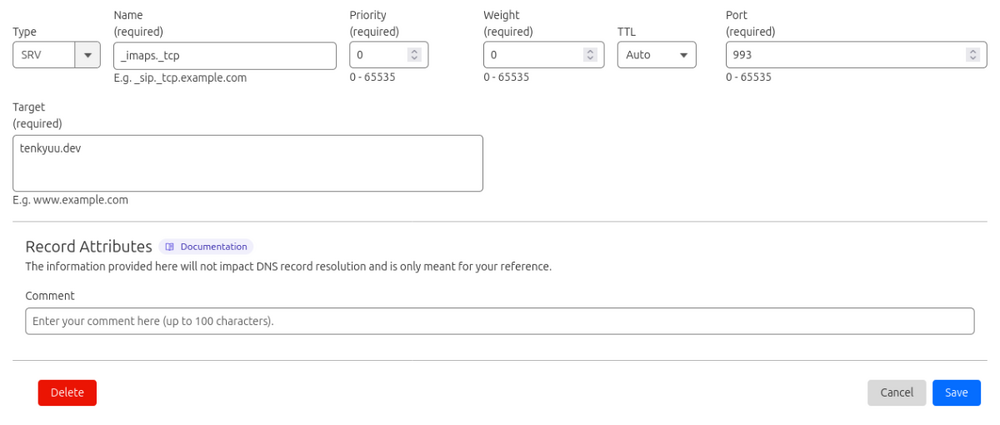
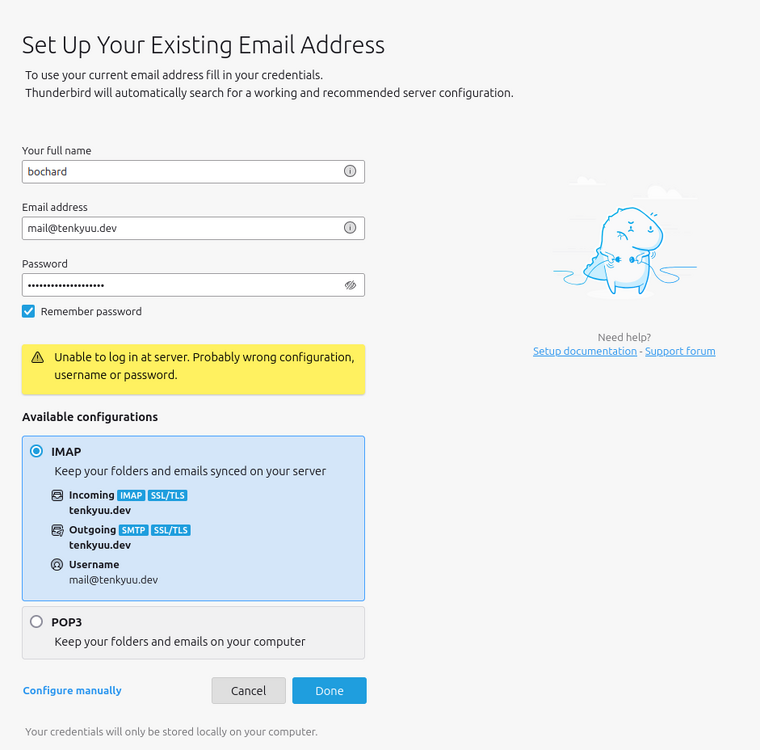
Hi there! I'm confused on how to setup email on my heliohost account. So, for some details, I have my own domain, my nameservers are pointed to Cloudflare and I manage their my DNS records. I made A, and AAAA records to point on my HelioHost hosting. It all works fine. Now, I want to create an email so others can email me mail@tenkyuu.dev. The problem I'm facing is how to configure all of it, from using it on a client like thunderbird, and the imap, pop, etc. Here's what I did. I made an email address mail@tenkyuu.dev. Based from the instruction, create 3 dns records: I did created 3 dns records for _smtps, _imaps, and _pop3s, I'm not sure if I did it right: Also, when I try to login using thunderbird. It always throws me an error: I hope someone will help me on this. Thank youu!!
-
Hello,I got my IP blocked, and received that message: "The IP address 189.103.162.137 has been blocked for trying to log in to FTP with the wrong password too many times. To prevent this from happening again in the future please make sure your username and password are saved correctly in your FTP client. You won't be able to continue to cPanel until an admin unblocks you. To request that your IP be unblocked please visit Support" I think that is because an email account that I had deleted, but I didn't delete on the client, and the client tried to connect too many times. I have deleted that account now on the client.Thanks
-
I've seen part of this issue come up a few times, with workaround resolutions that really aren't ideal, but I've not seen this related continuation of the problem. The recommended ports for IMAP: 993; and for SMTP: 465. The (not recommended) settings are for IMAP: 143; and for SMTP: 25. But neither of these work in Thunderbird. The only config that works is IMAP: 143 (not recommended) and for SMTP: 587 (not listed for either config setting). And as was mentioned in another users post, Thunderbird gave a warning message about the security settings being potentially unsafe one time, and gave the option to override it (which I did, but I'd rather not have to do that). However, AVG is unable to scan the emails for viruses because they are encripted with unorthodox settings, so I have to manually input the server/port settings in AVG. The problem is, none of the 3 port options work, which means AVG pops up 4 times (1 for each address) every 5 minutes to let me know, interrupting anything I may be doing from reading an article, coding, or watching a video. What I don't want to do is compromise on email security, and that's what I'm being forced to do... which makes this a HH problem, and not an AVG problem. What I need is not a workaround to prevent AVG from telling me there is a problem, but a solution that allows me to use the correct (and secure) port settings that AVG will recognize and that Thunderbird will use without security overrides.